Upgrade your account plan
Buy a plan that lets you create more stores.
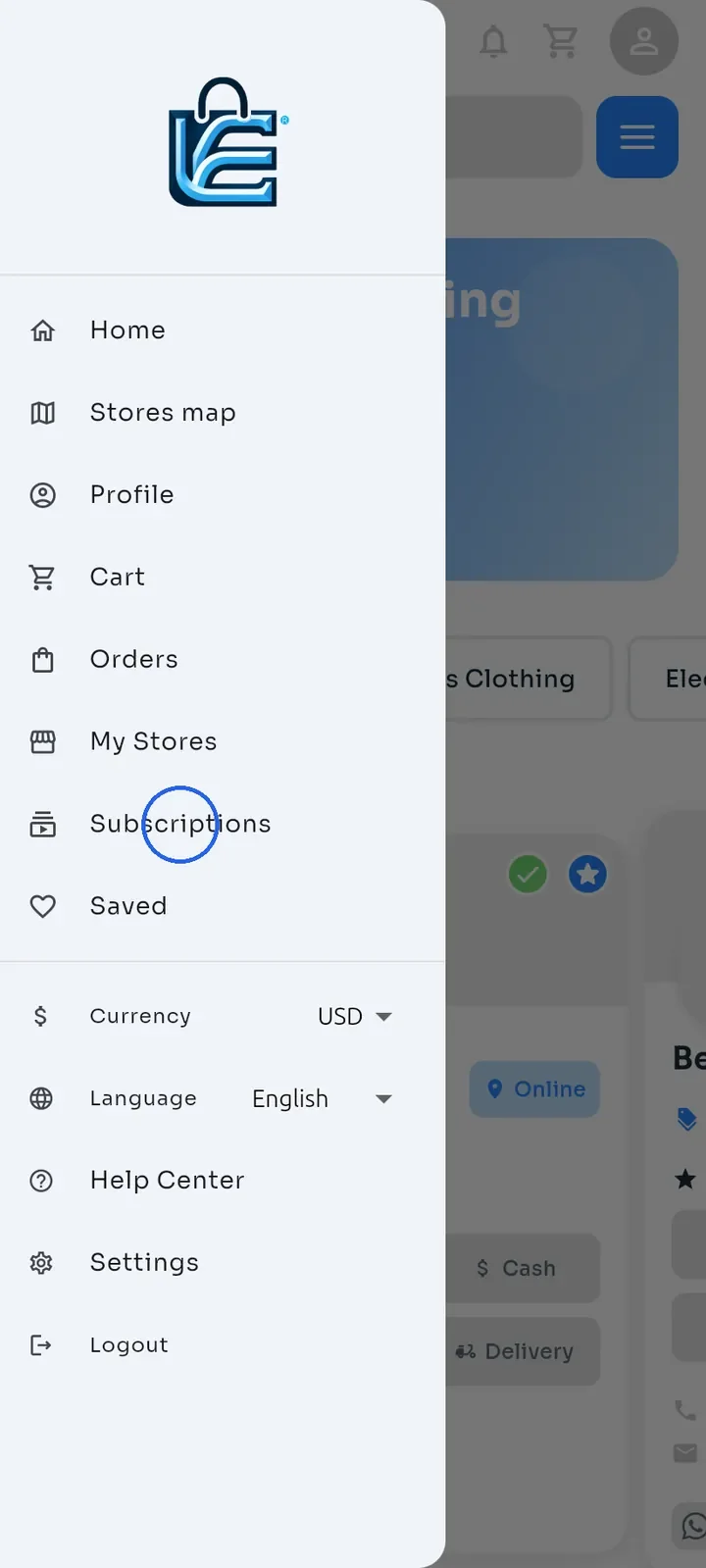
Open the menu and tap Subscriptions.
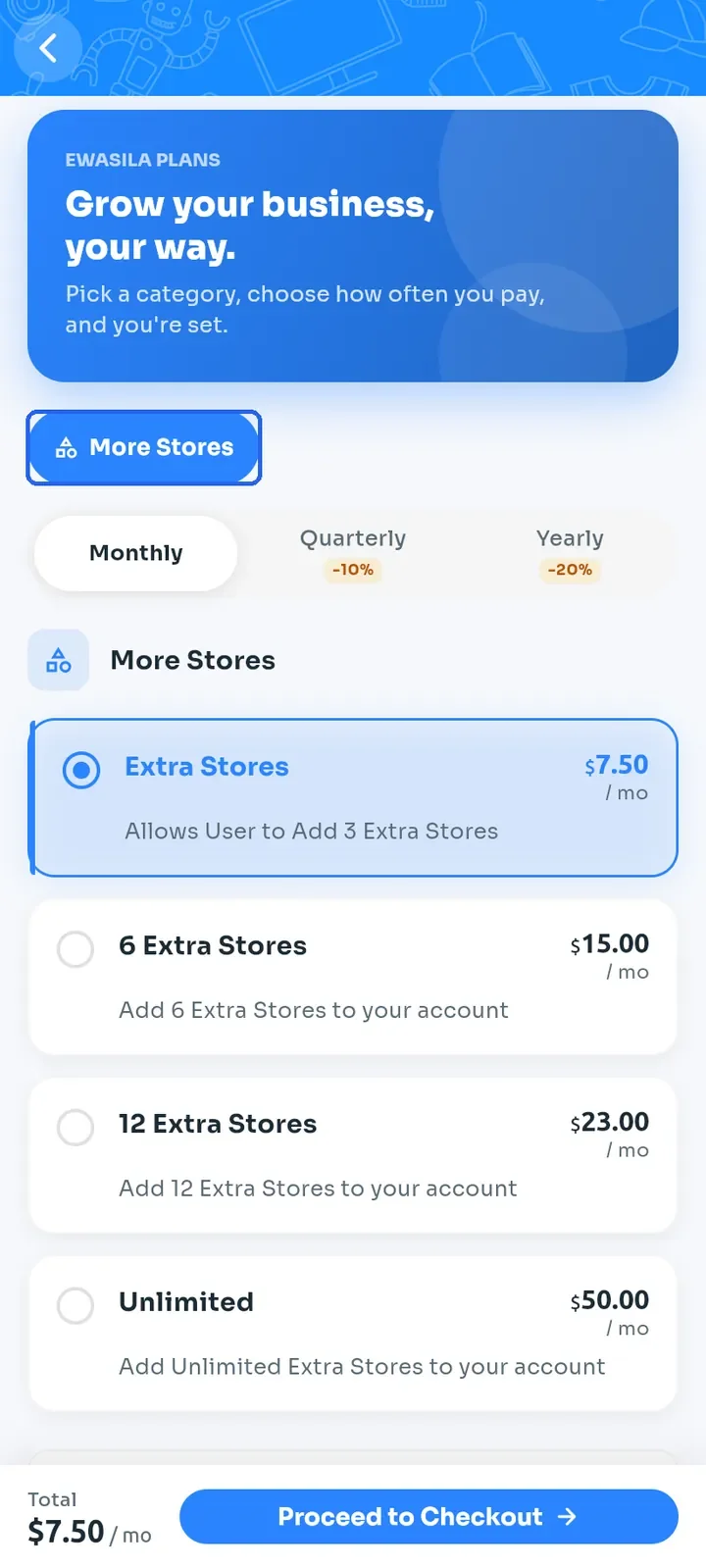
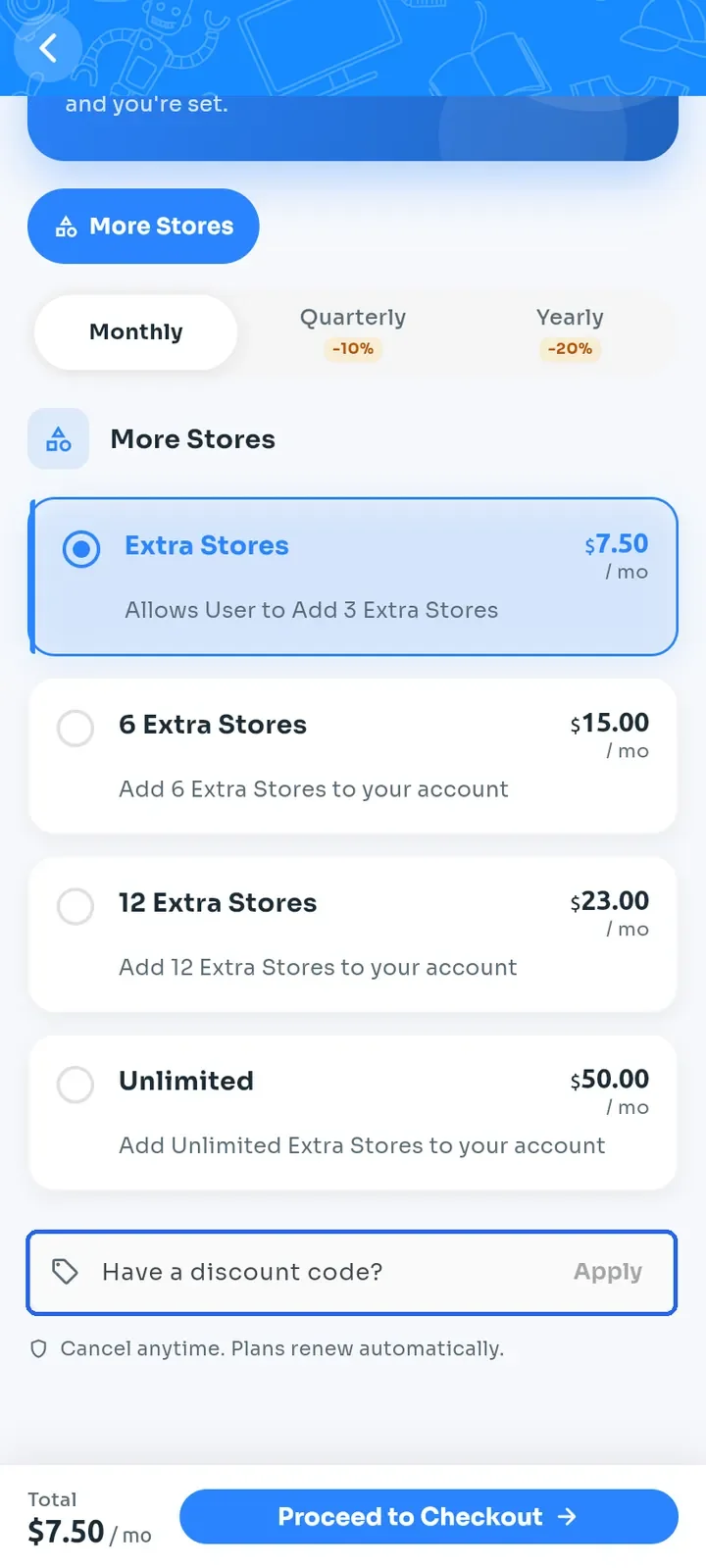
Make sure the More Stores group at the top is selected. Its plans add extra stores to your account.
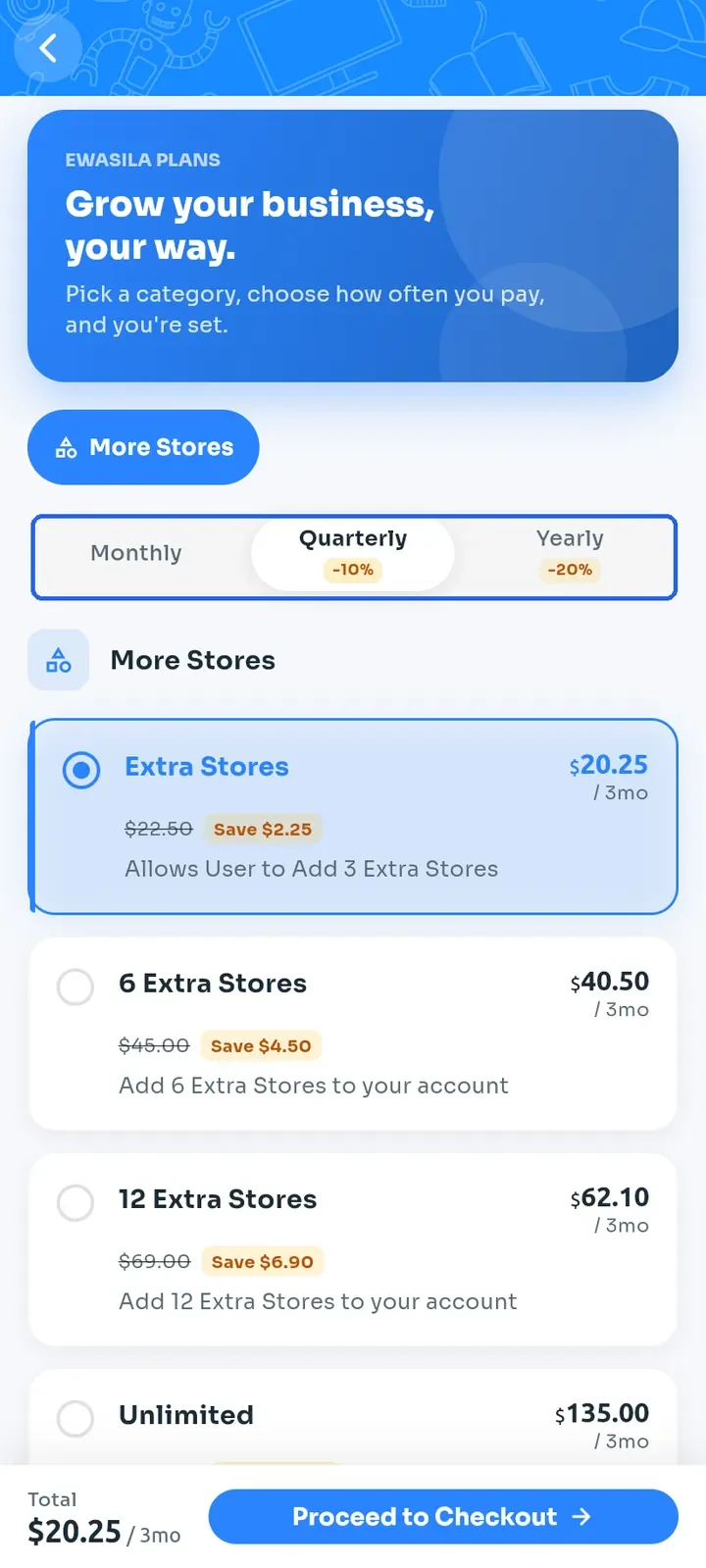
Choose how often you pay: Monthly, Quarterly (10% off) or Yearly (20% off). The prices on the plan cards update to match.
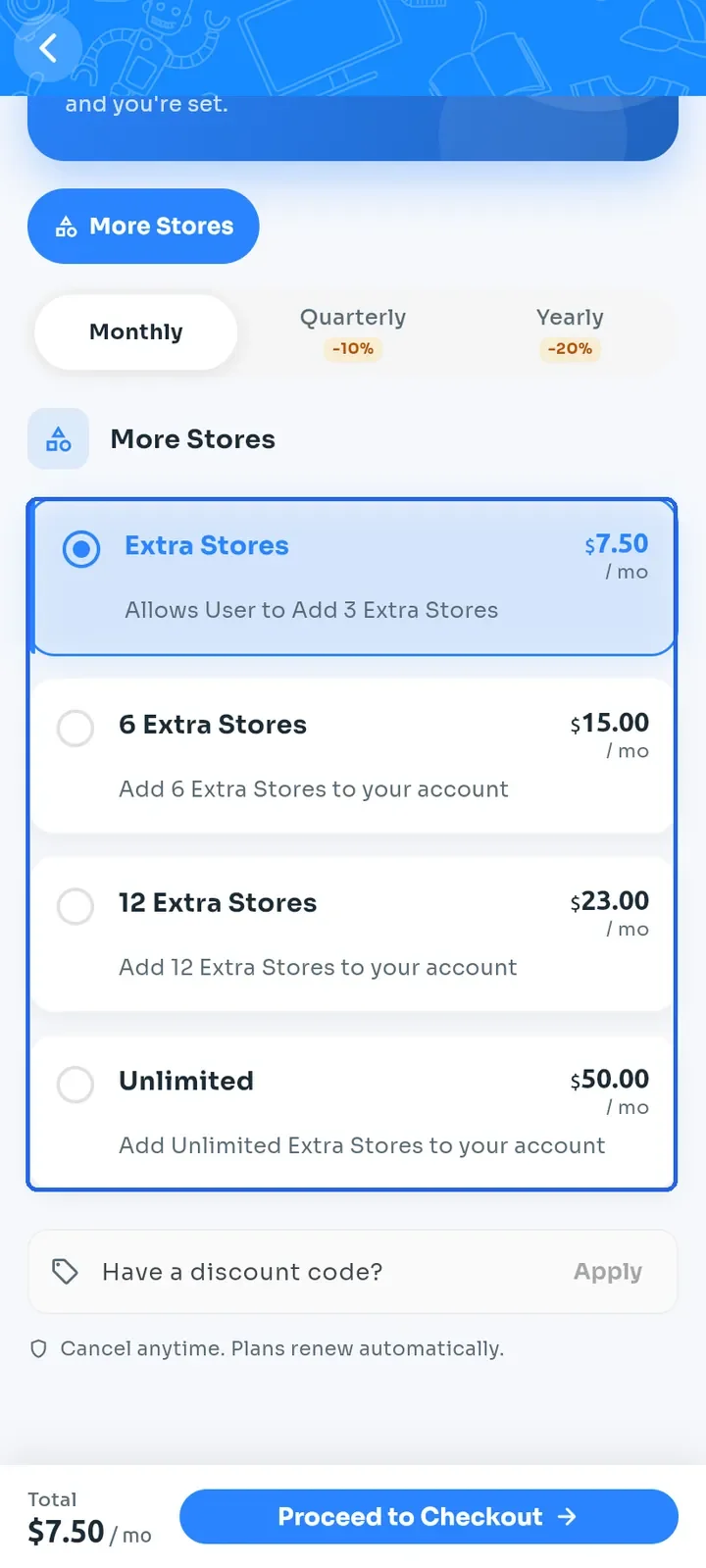
Tap a plan card to select it: Extra Stores (3 extra stores), 6 Extra Stores, 12 Extra Stores or Unlimited. The Total at the bottom updates.
Optional: if you have a discount code, tap Have a discount code?, enter the code and tap Apply.
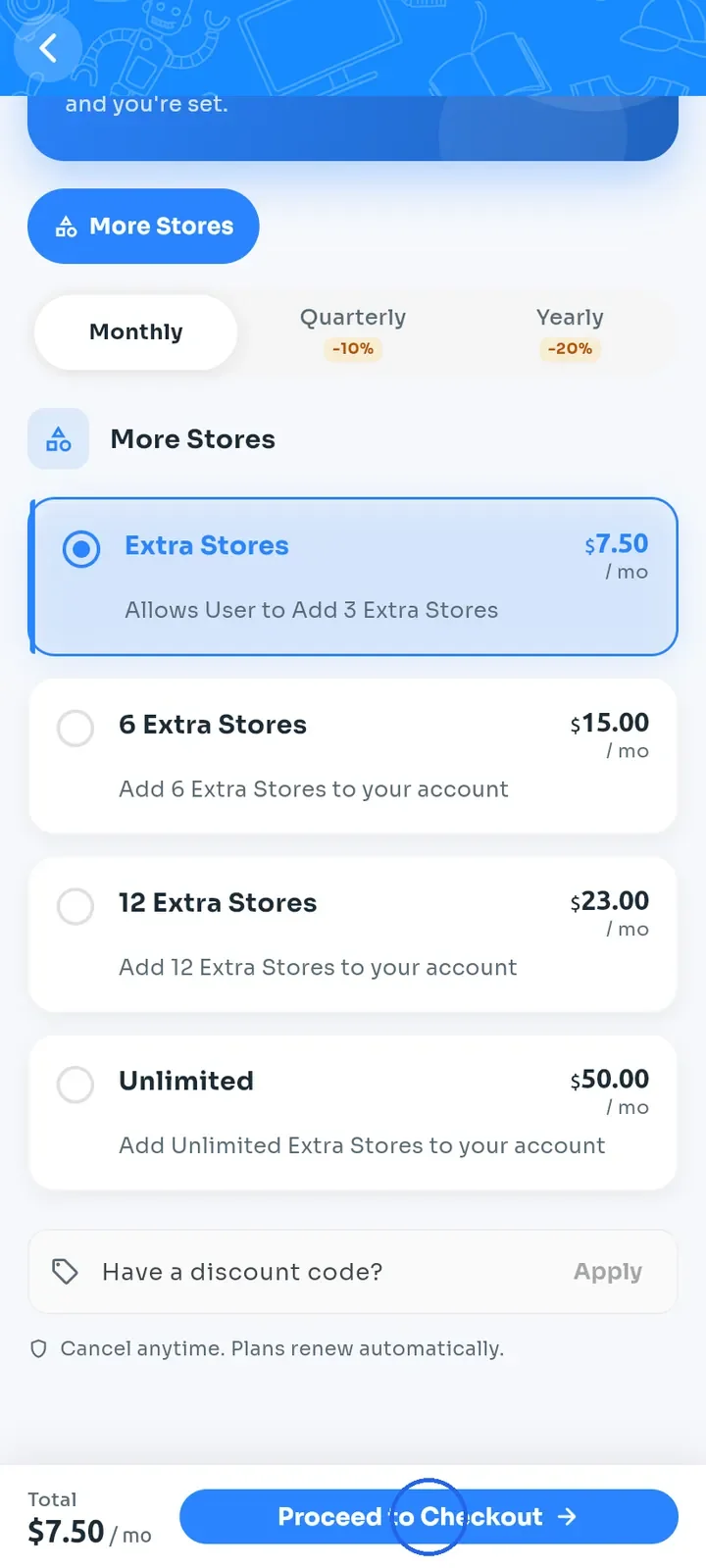
Tap Proceed to Checkout.
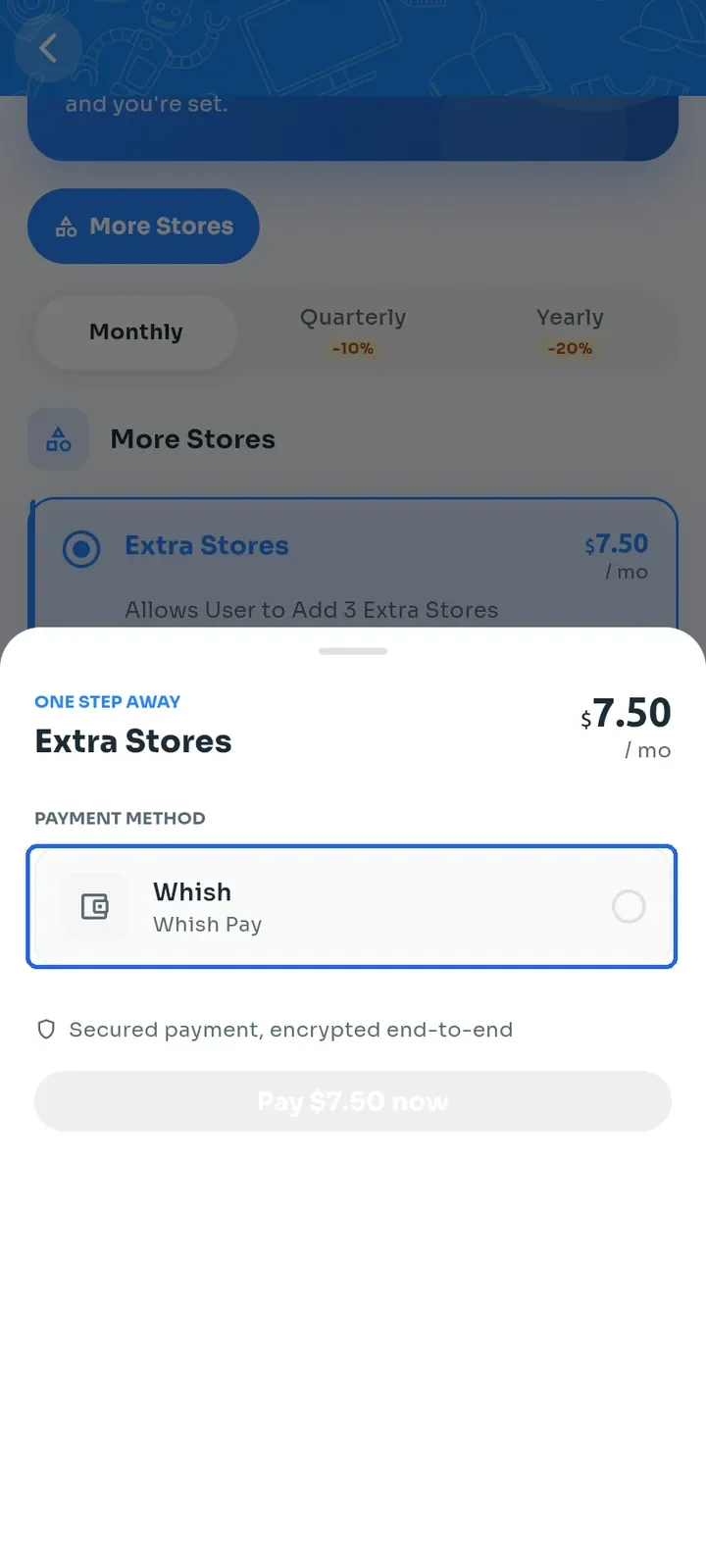
In the ONE STEP AWAY sheet, check the plan and price, then tap Whish to select it as the payment method.
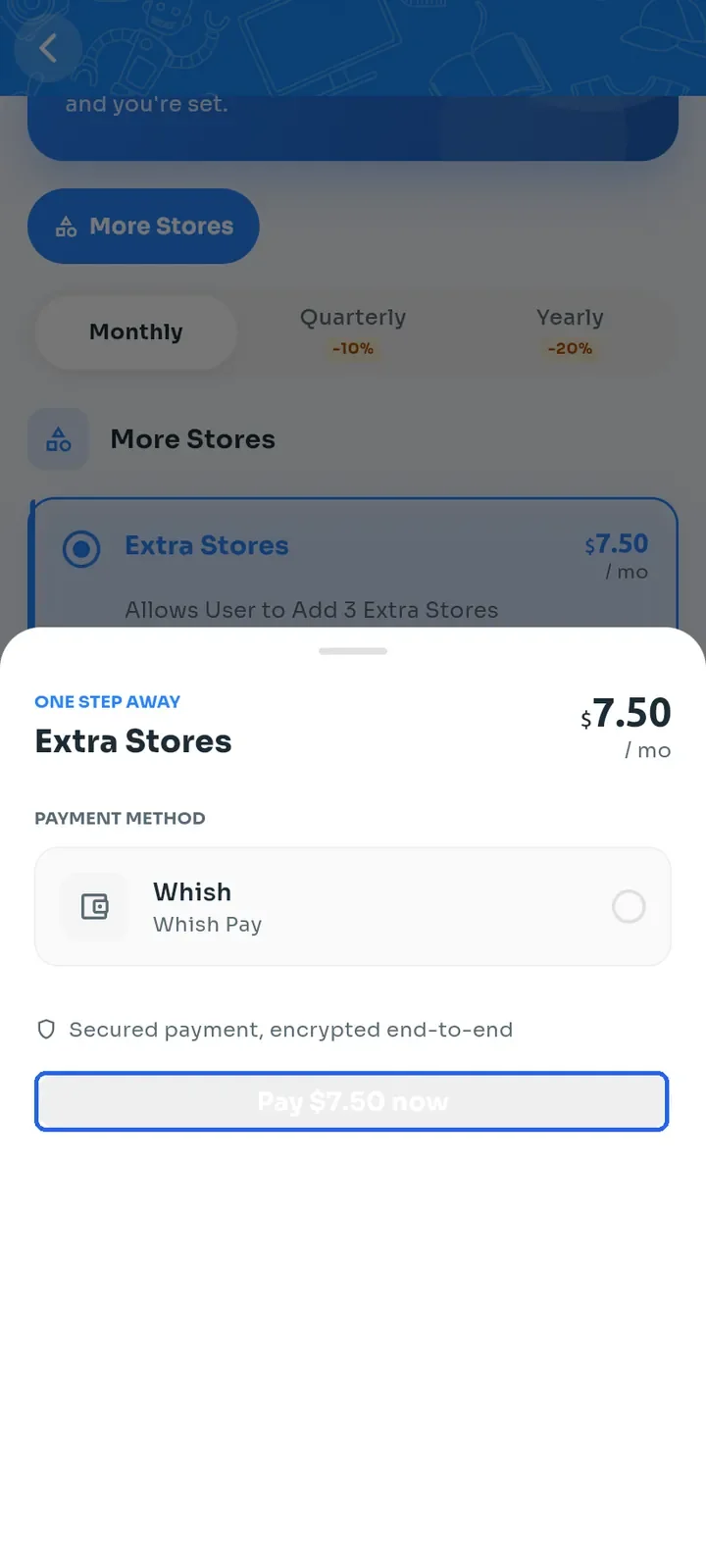
Tap the pay button, here Pay $7.50 now, to continue to Whish and complete the payment. The button stays grey until you select Whish.
Note: plans renew automatically, as the plans page states.
Tip: after you pay, open Subscriptions History in your profile to check the payment status.