Verify your phone number
Add or verify your phone number with a one-time code sent to your WhatsApp.
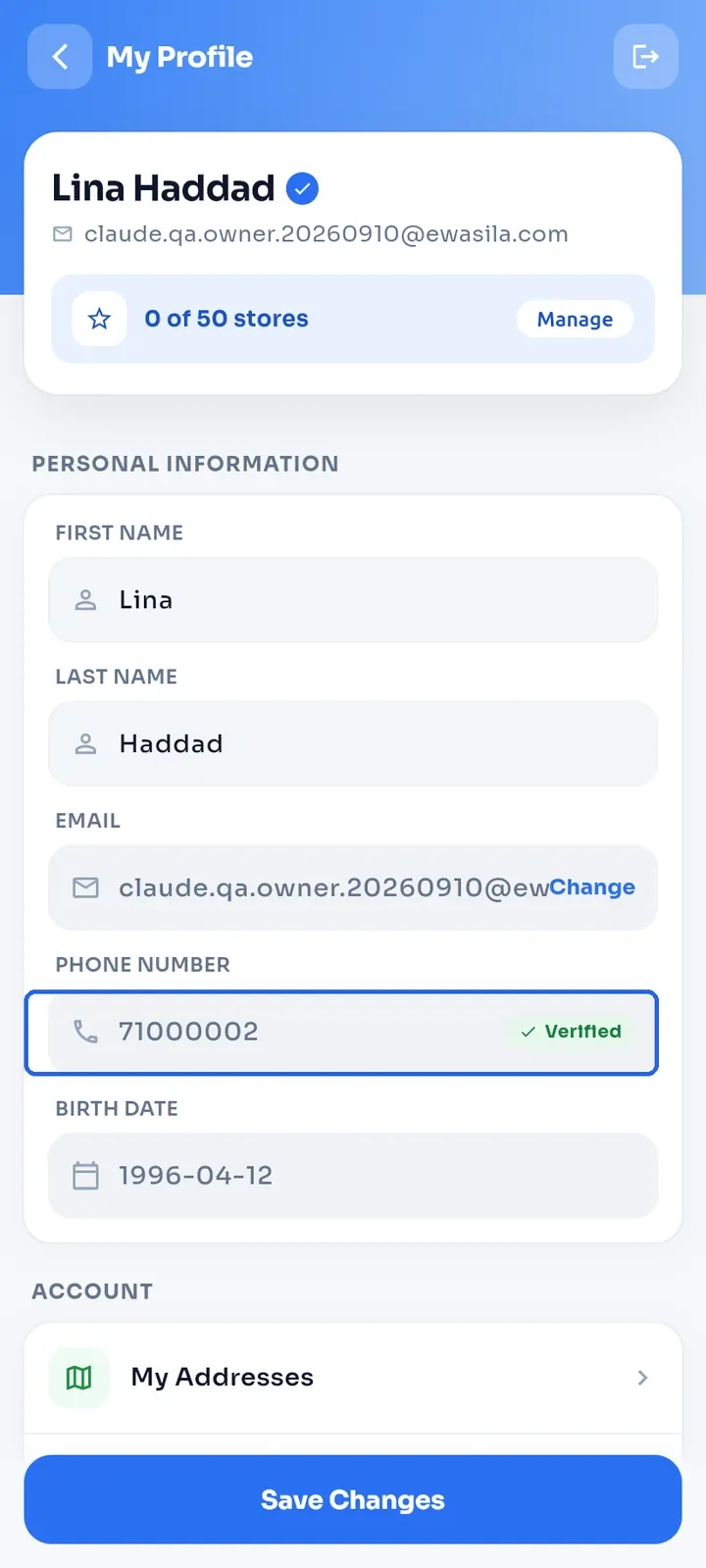
Open My Profile and look at the Phone Number field.
If it shows Verified, your number is already verified and there is nothing more to do. A verified number cannot be changed from here.
If it shows Add or Verify, tap it. The phone verification screen opens.
Enter your mobile number in Phone Number, for example 70123456 or +96170123456. Use a Lebanese mobile number; landline numbers are not accepted.
Tap Send OTP via WhatsApp. You get a 6-digit code in WhatsApp on that number.
Enter the code in Enter 6-digit OTP.
Tap Verify. The app shows "Phone number verified successfully" and takes you back to your profile.
Tip: if the number is wrong or the code does not arrive, tap Change number / Resend, correct the number and tap Send OTP via WhatsApp again.
Note: you can only add a phone number through WhatsApp verification. You cannot type it into your profile.
Note: your email must be verified before you can verify your phone.