Read your sales reports
See your order count, revenue, average order, payment methods and best-selling products for this month and last month.
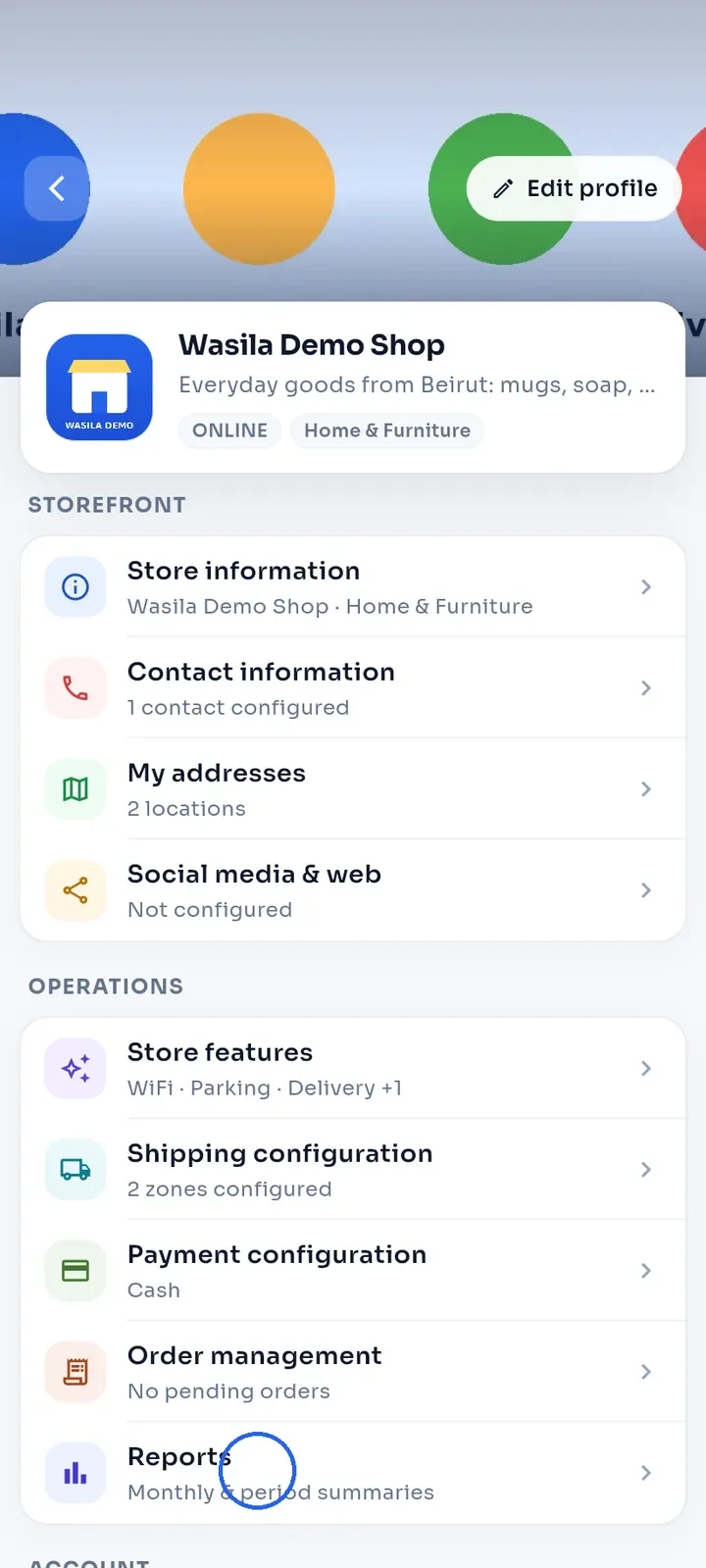
On your store dashboard, under Operations, tap Reports.
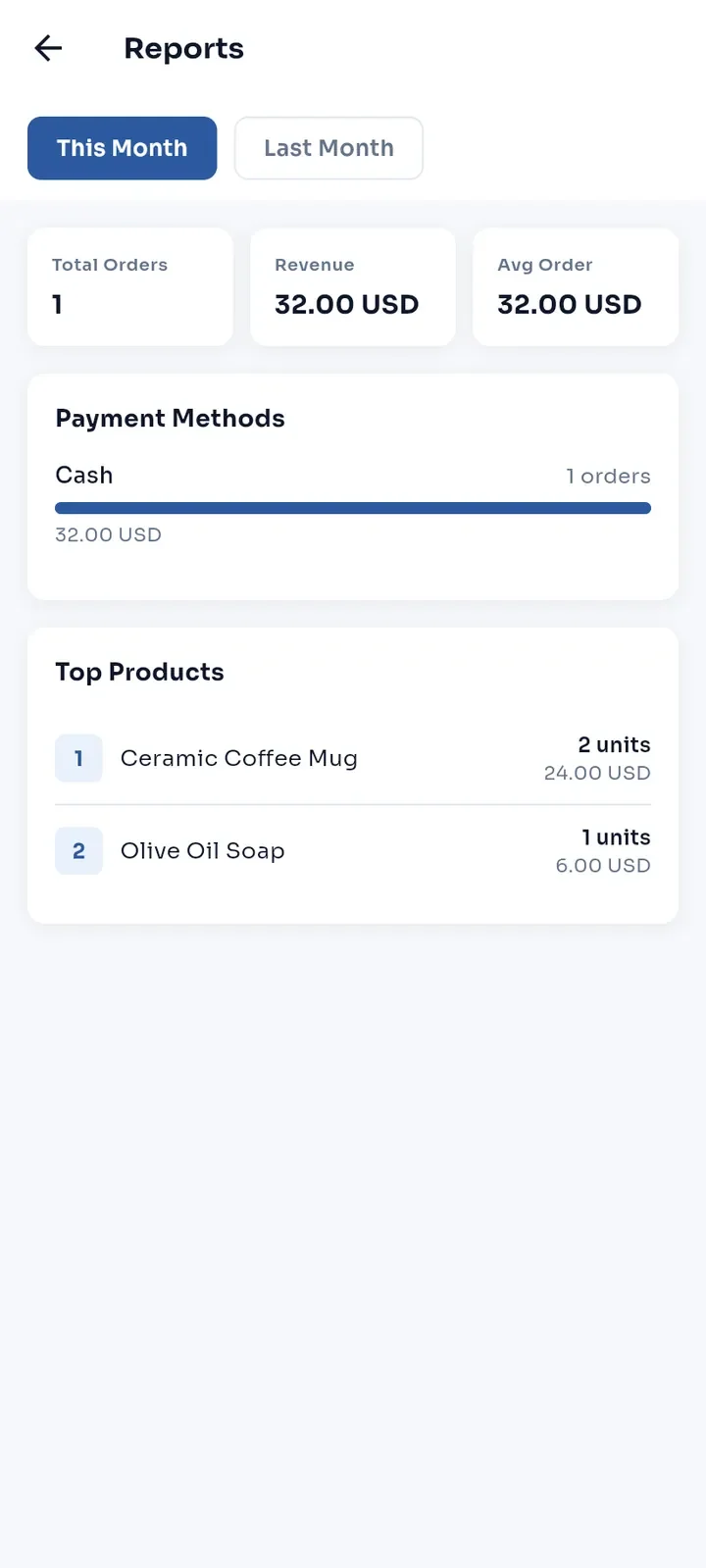
This Month opens first. The tiles show Total Orders, Revenue and Avg Order. Below, Payment Methods shows the number of orders and the amount for each method, and Top Products ranks your products by units sold, with their revenue.
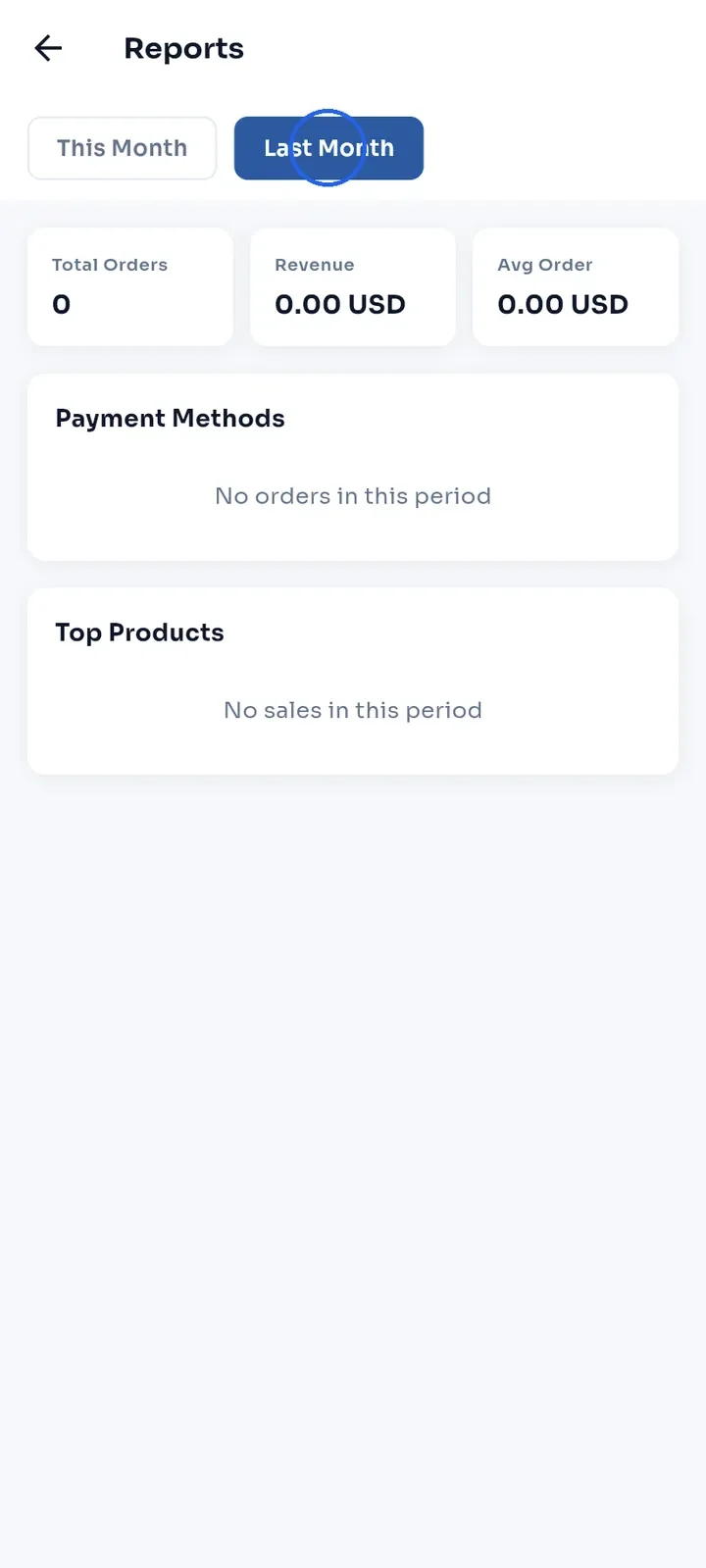
Tap Last Month to see the previous month. A month without orders shows zeros, No orders in this period and No sales in this period.
Note: cancelled and refunded orders, and orders with the status Pending Payment, are not counted. For example, with one completed order of $32.00 and one cancelled order of $5.00, the report shows Total Orders 1 and Revenue 32.00 USD.
Note: an order is counted even when its payment still shows Pending, as with a completed cash order.