Set up delivery zones
Choose the areas you deliver to and the charge for each, with optional prices for single cities.
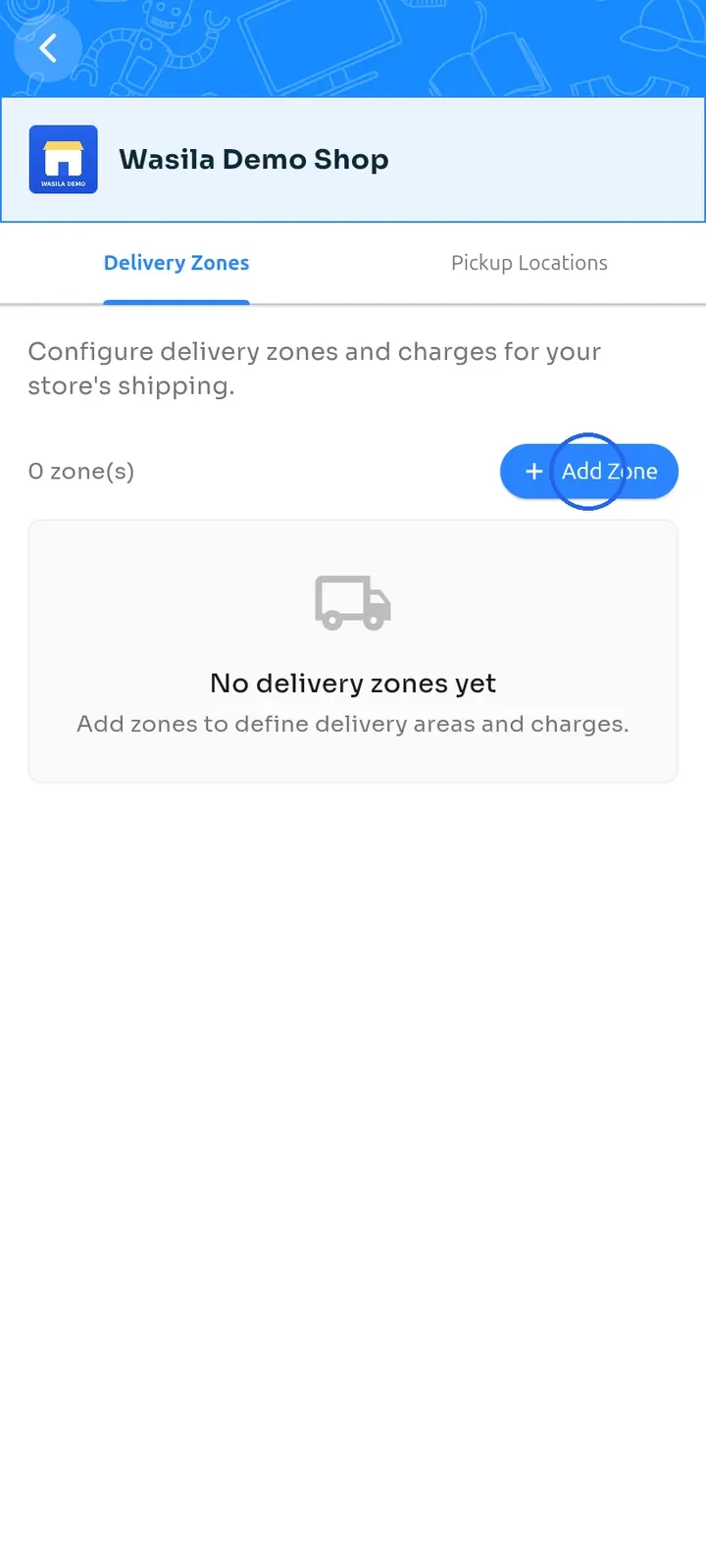
On the store dashboard, tap Shipping configuration. On the Delivery Zones tab, tap Add Zone.
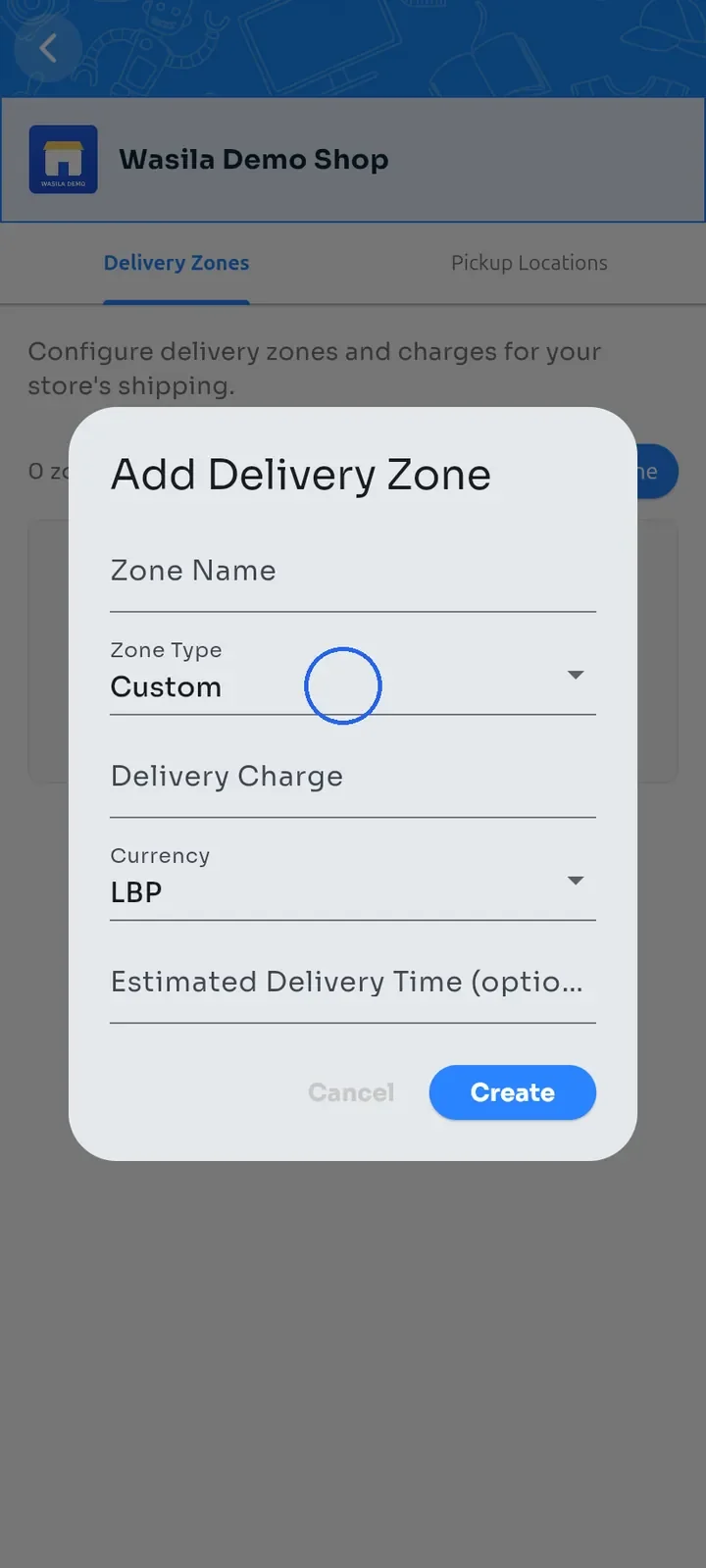
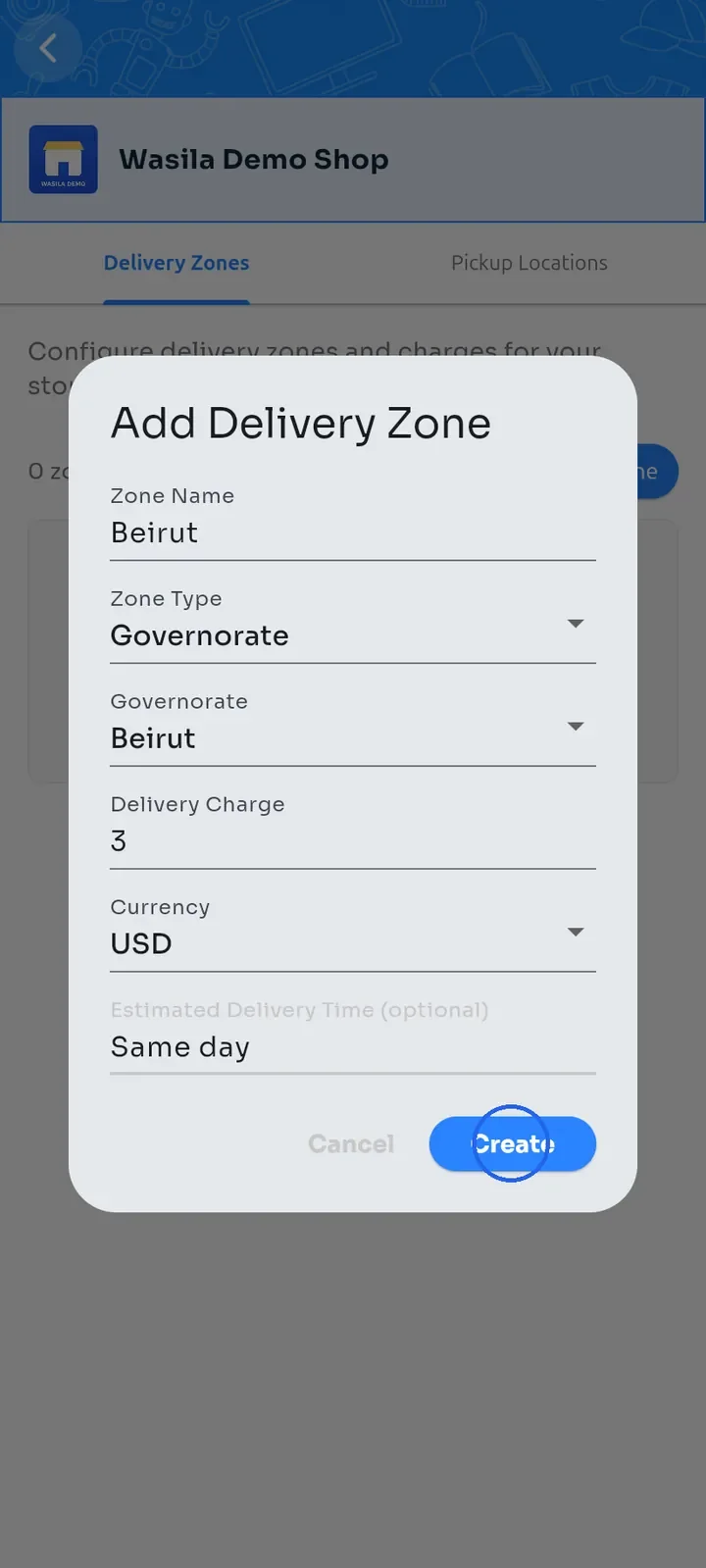
The Add Delivery Zone form opens. Tap Zone Type. It is set to Custom at first.
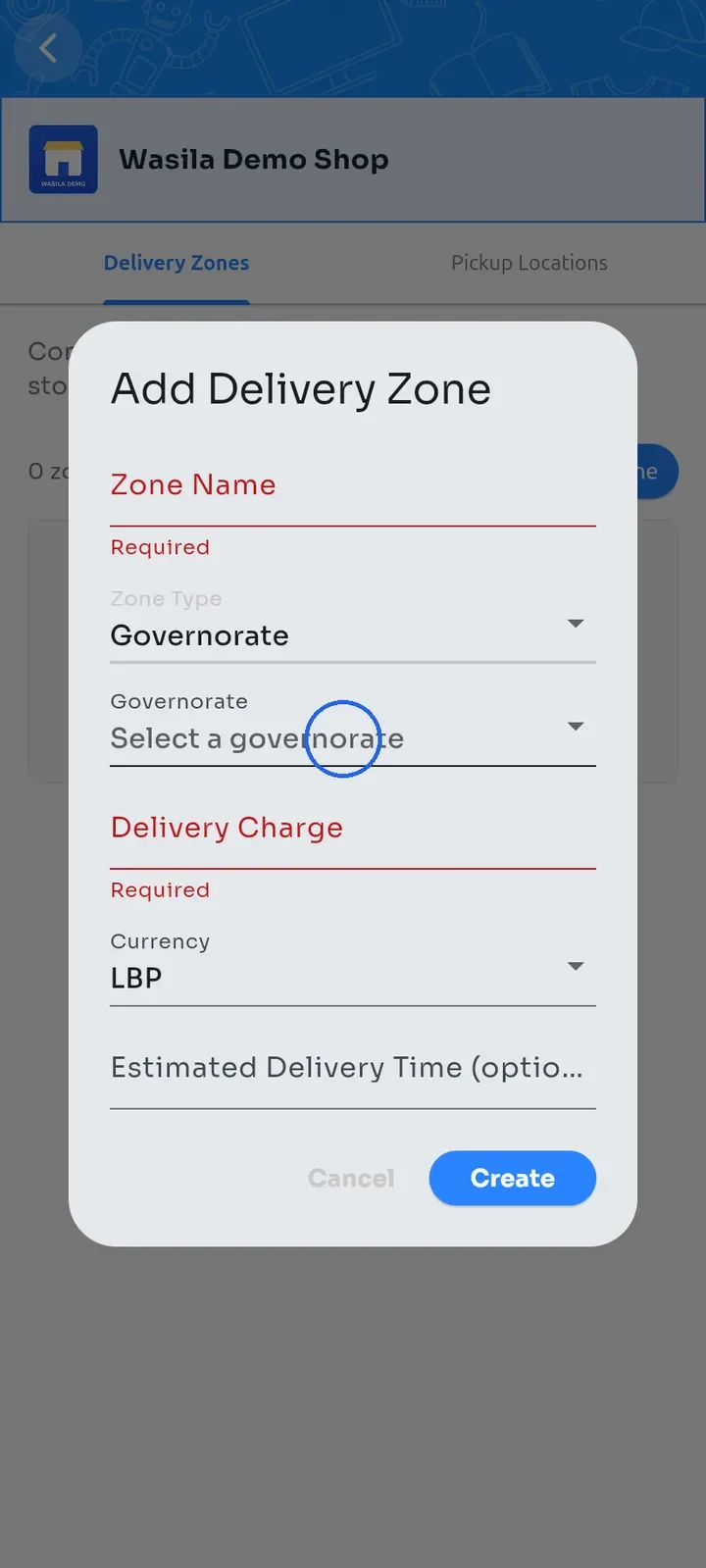
Choose Governorate. A Governorate field appears below it.
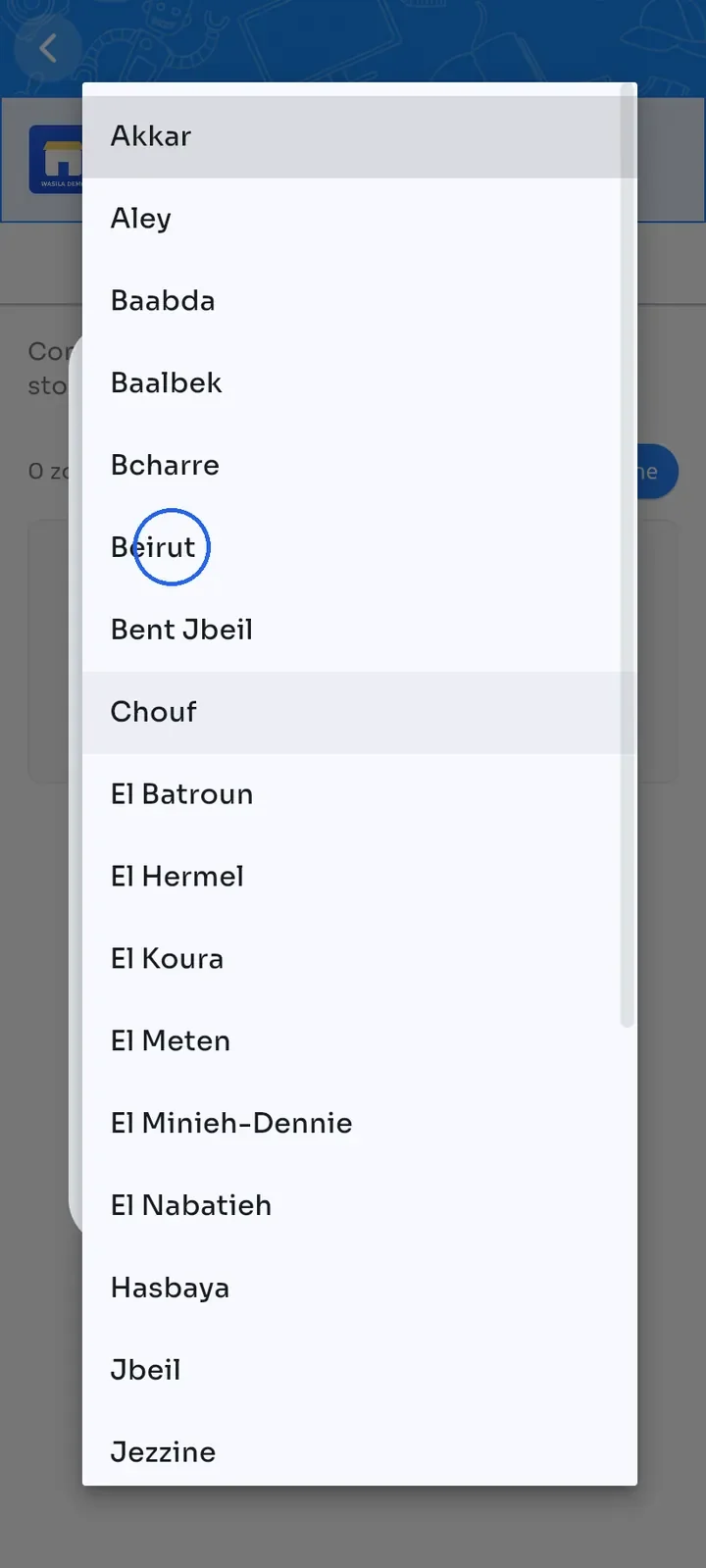
Tap Governorate and choose the area you deliver to, for example Beirut.
Enter a Zone Name and the Delivery Charge, then choose the Currency: LBP or USD. You can also add an Estimated Delivery Time, for example Same day.
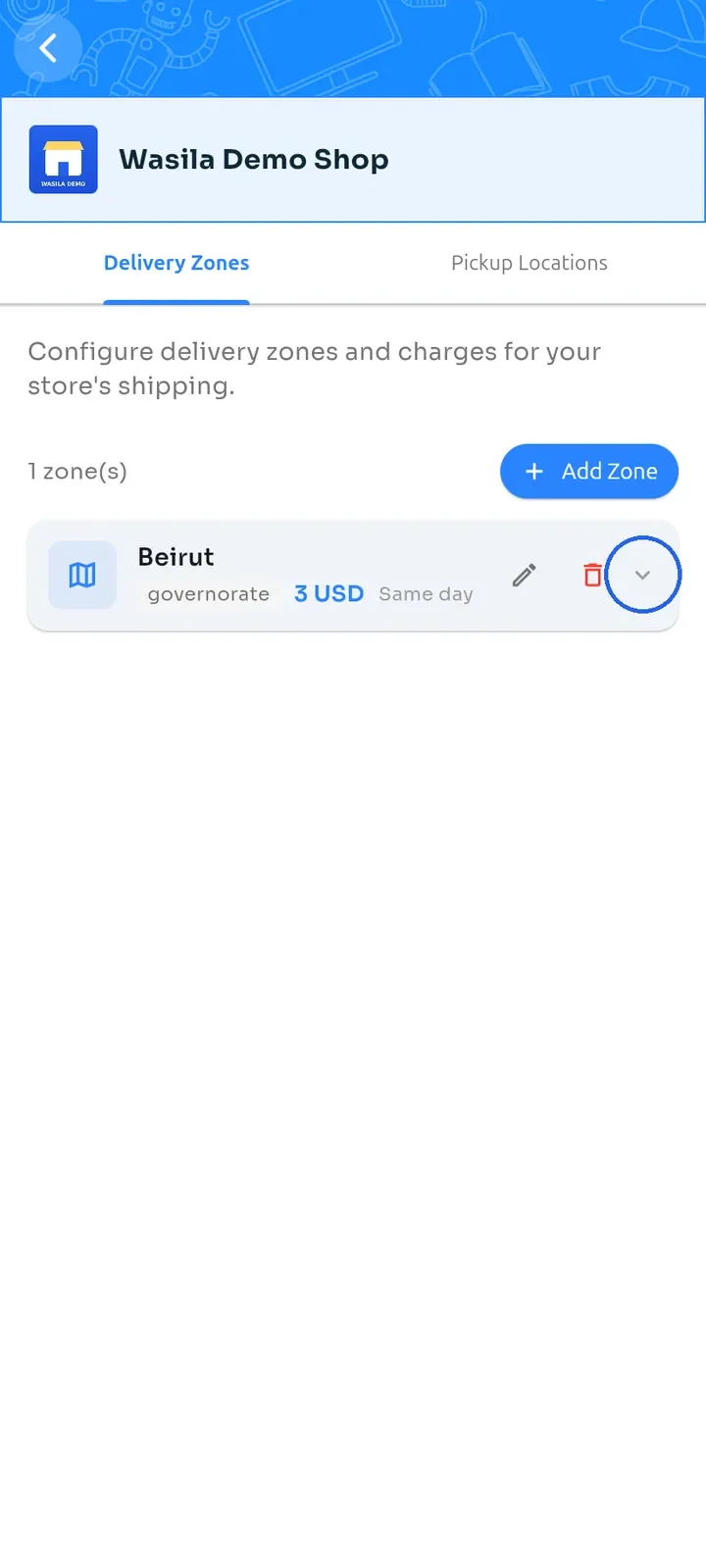
Tap Create. The zone appears in the list with its type, charge and delivery time.
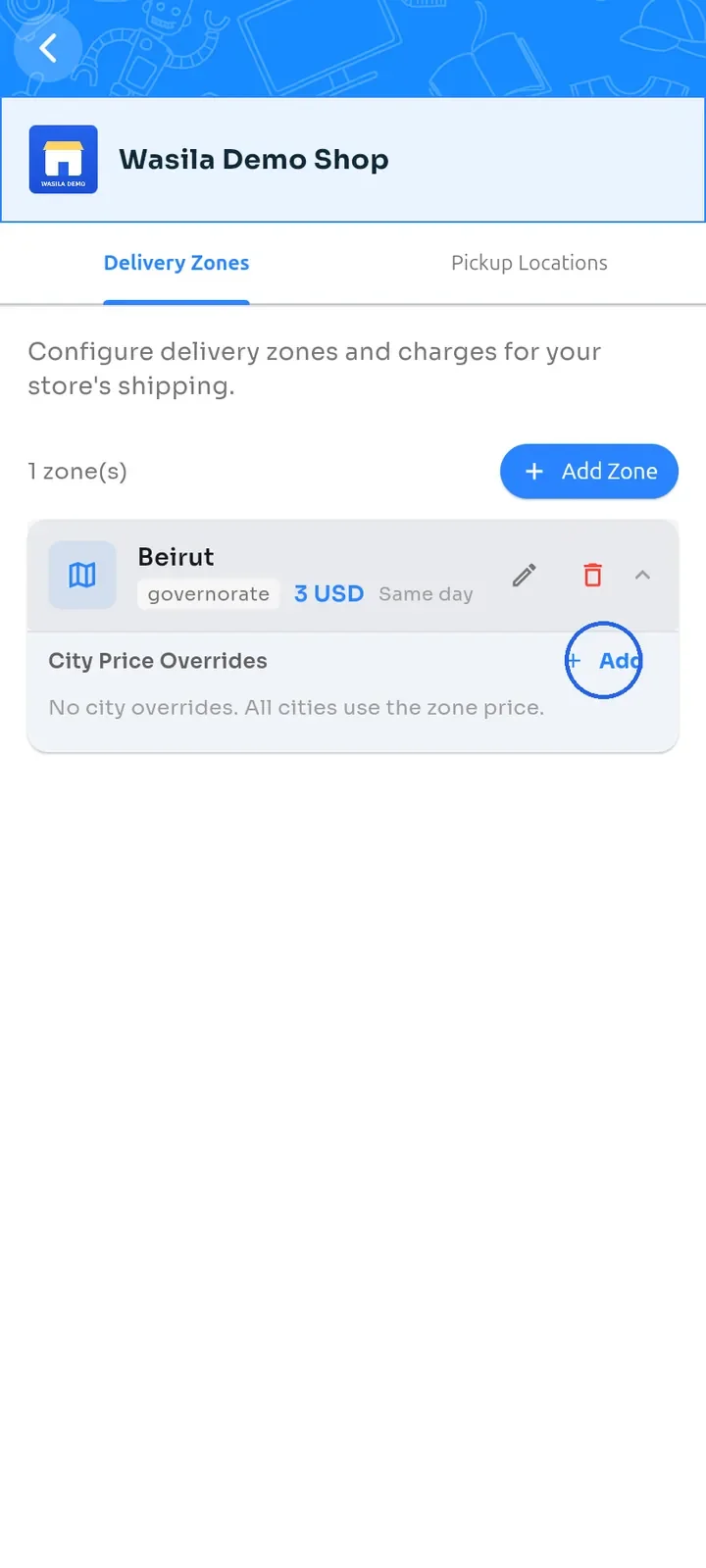
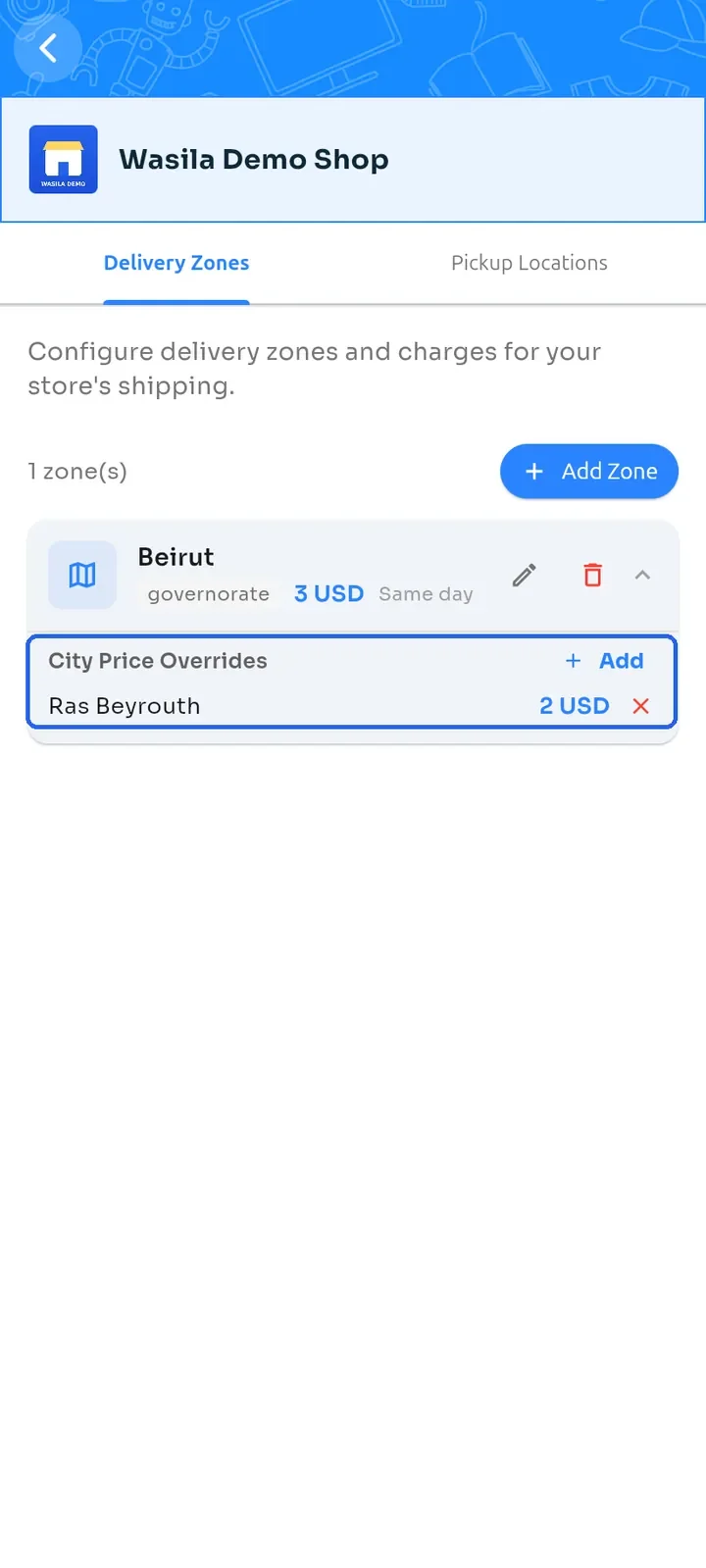
To charge a different price for one city, tap the arrow on the zone. Then tap Add next to City Price Overrides.
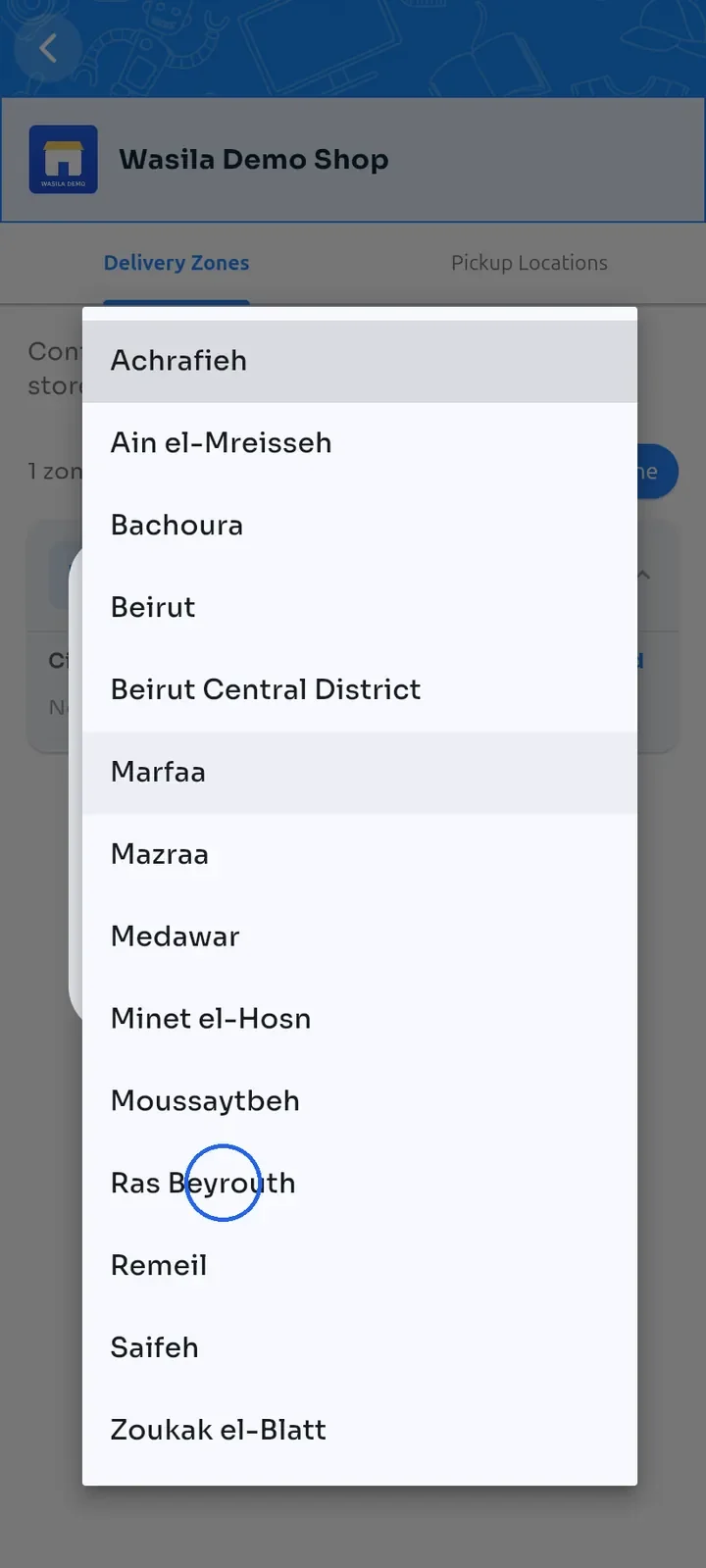
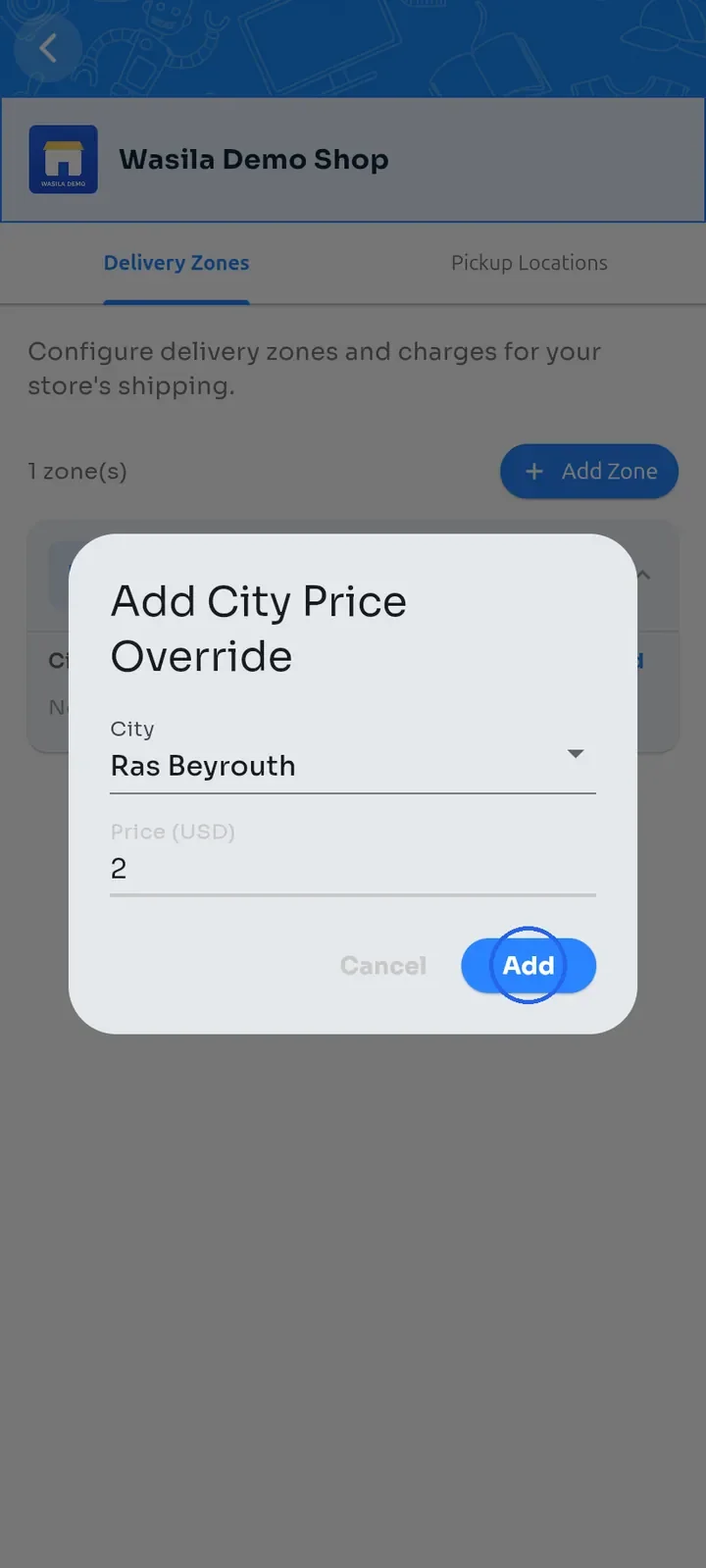
Tap City and choose the city, for example Ras Beyrouth.
Enter the Price, for example 2, and tap Add.
The city appears under City Price Overrides with its own price. All other cities in the zone keep the zone price.
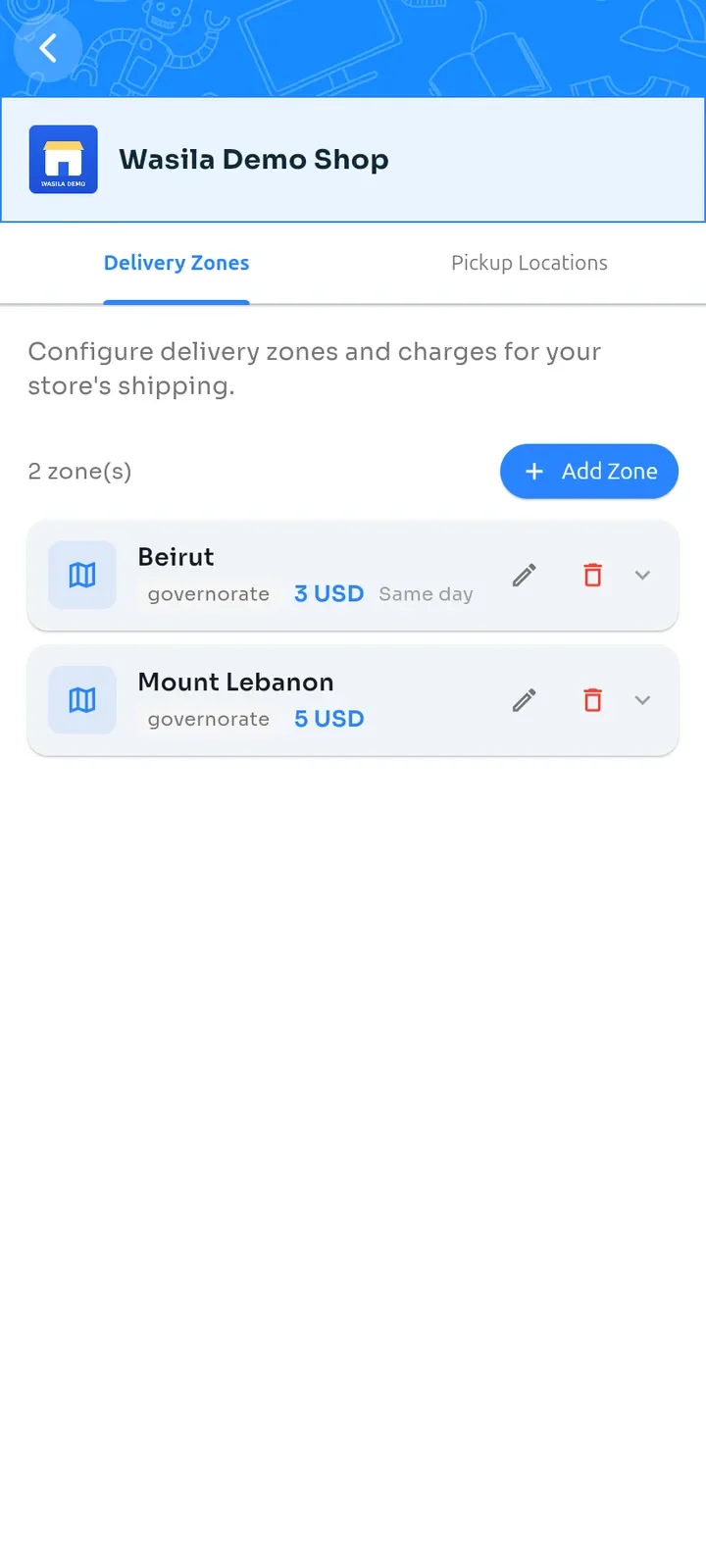
Tap Add Zone again for each other area you deliver to.
Note: the Governorate list shows Lebanese districts, so there is no single Mount Lebanon choice. Add one zone for each district you serve, such as Baabda or Aley. In the example above, the zone named Mount Lebanon covers Baabda only.