Order for pickup
Order from a store and collect your order at one of its pickup locations, with no delivery fee.
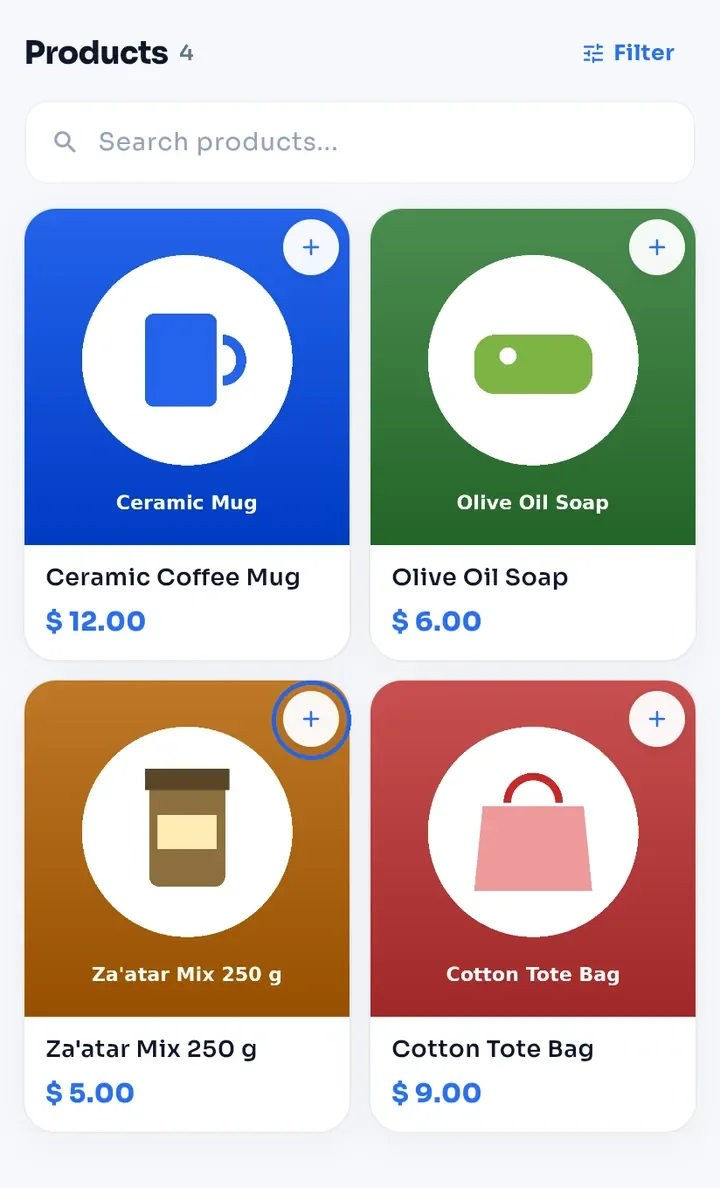
On the store page, tap + on the product you want.
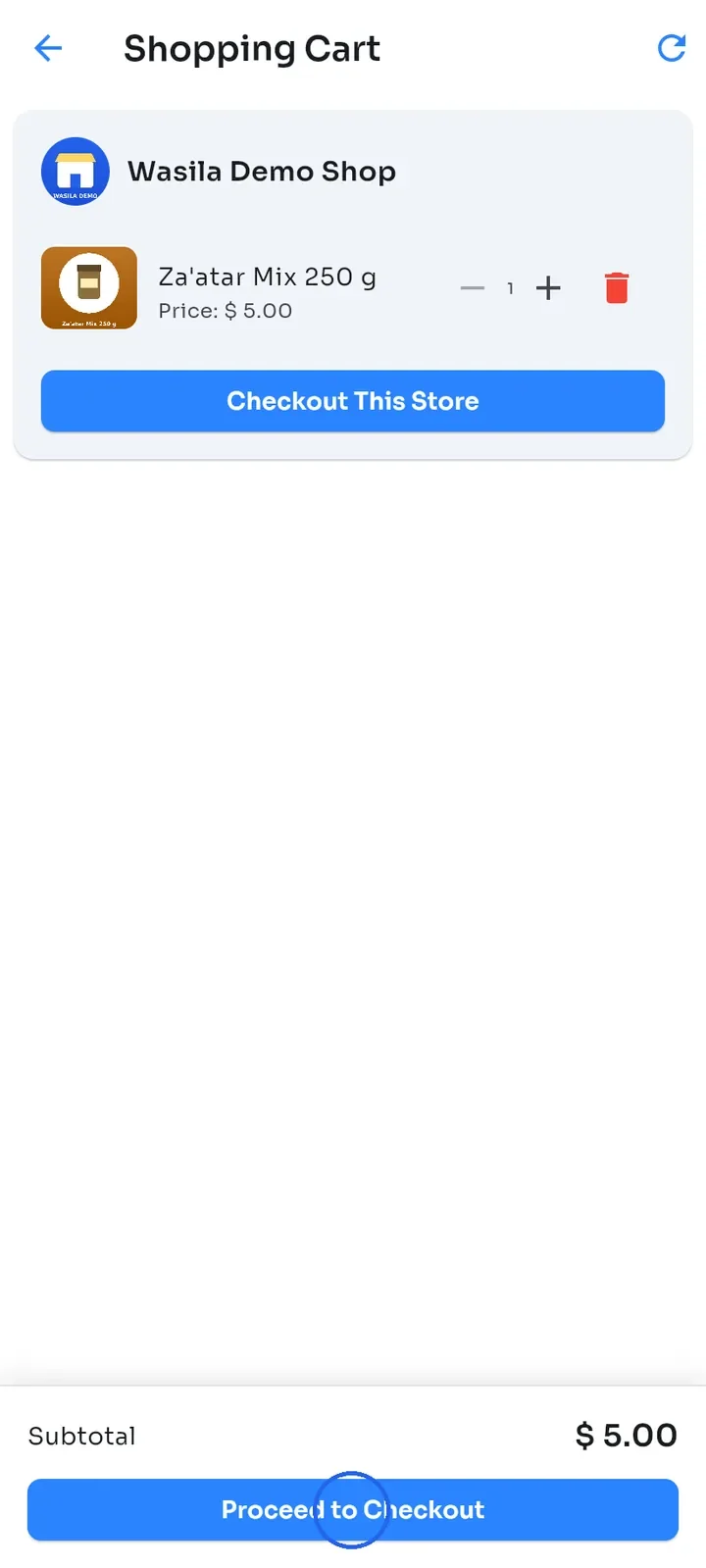
Open Cart from the side menu and tap Proceed to Checkout. If your cart holds products from several stores, tap Checkout This Store on this store instead.
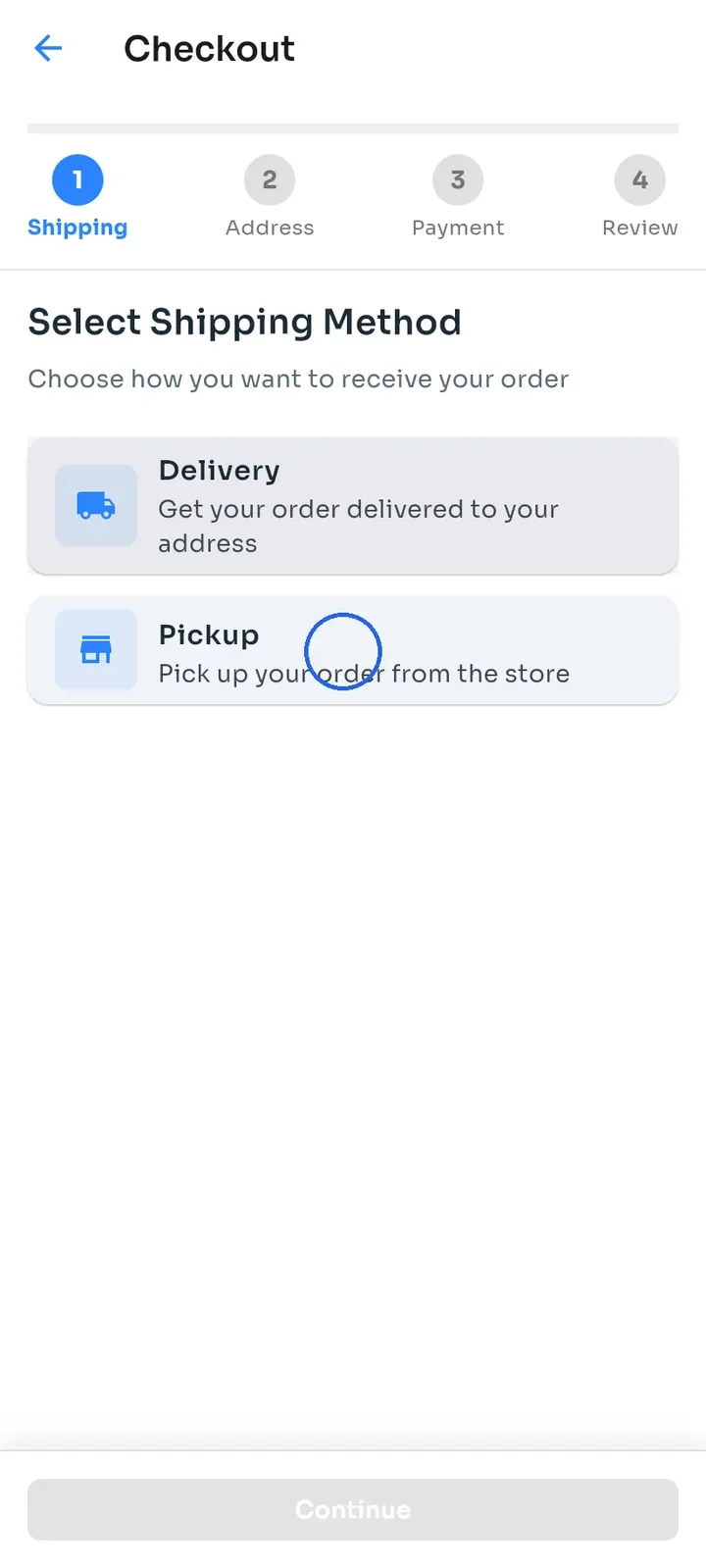
Under Select Shipping Method, tap Pickup.
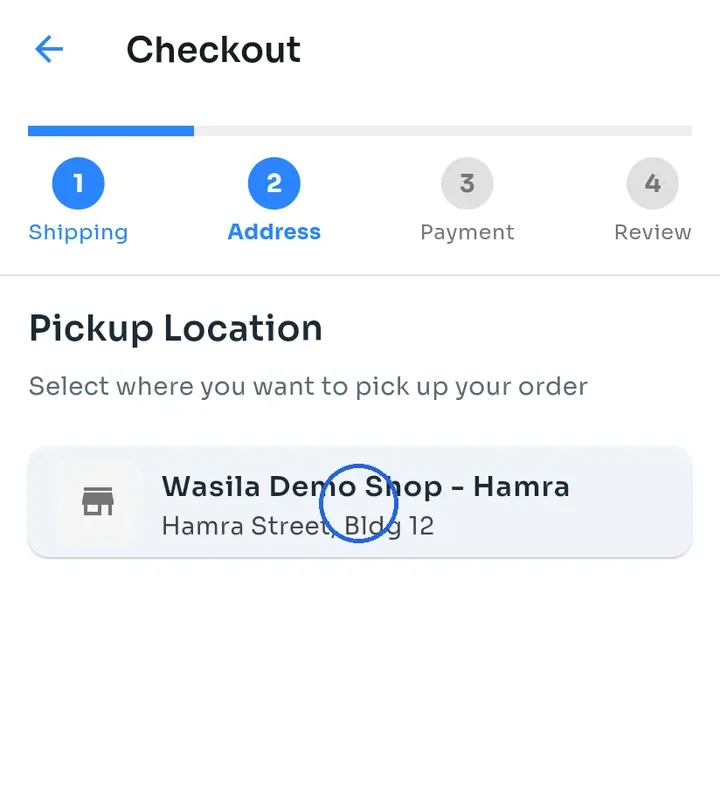
Under Pickup Location, tap where you want to collect your order, for example Wasila Demo Shop - Hamra. The address is shown under the name, and the next step opens right away.
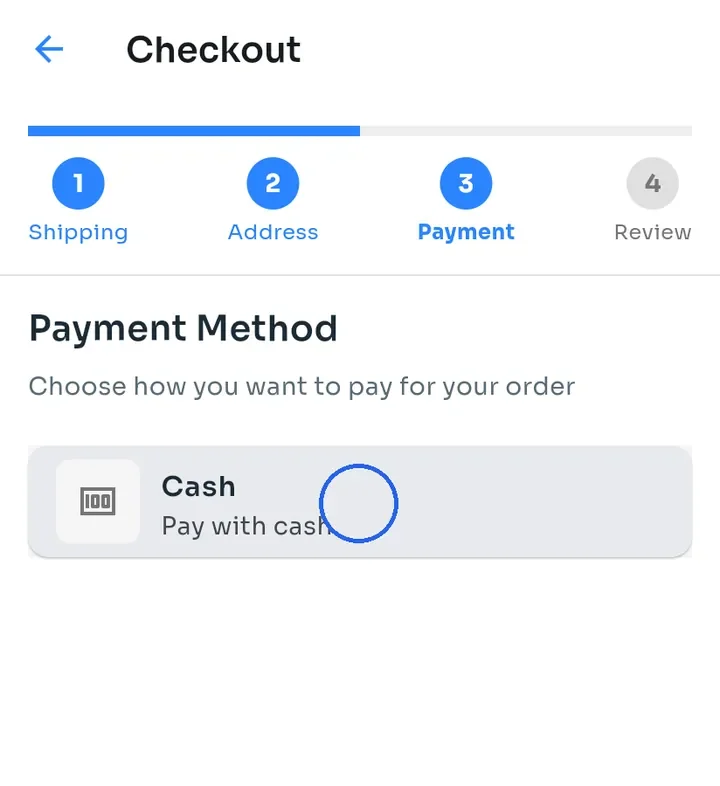
Under Payment Method, tap Cash. You pay when you collect your order.
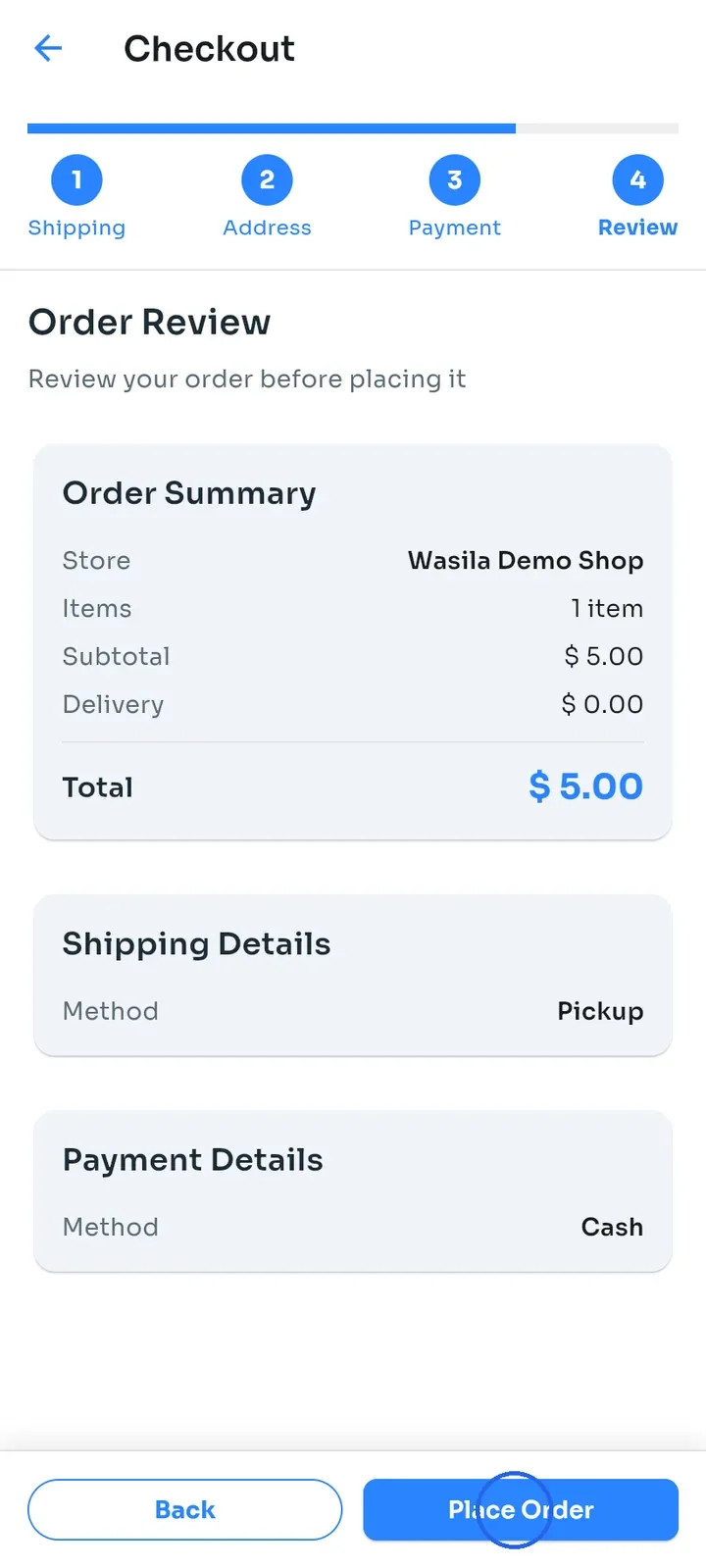
Check Order Review: the method is Pickup and the Delivery fee is $0.00. Tap Place Order.
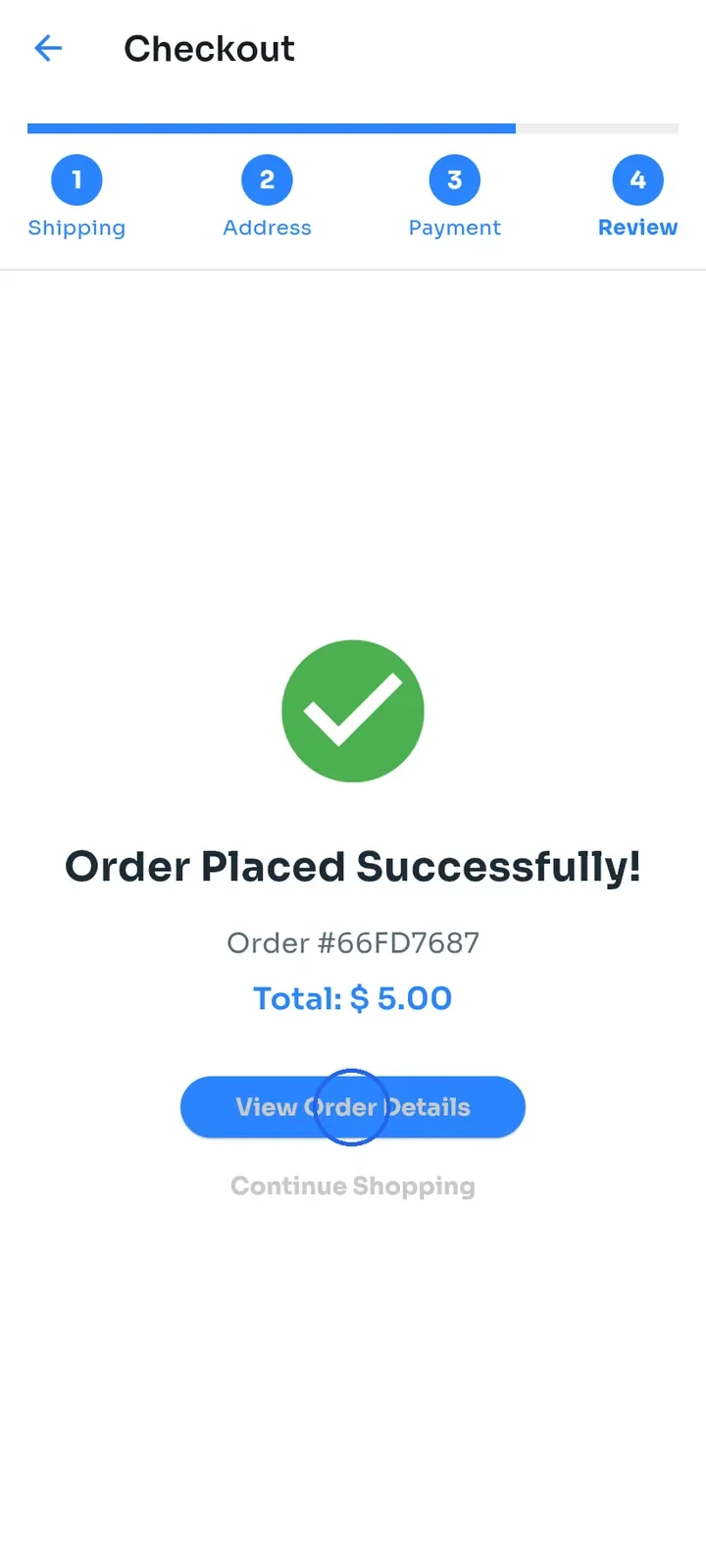
Order Placed Successfully! shows your order number and total. Tap View Order Details.
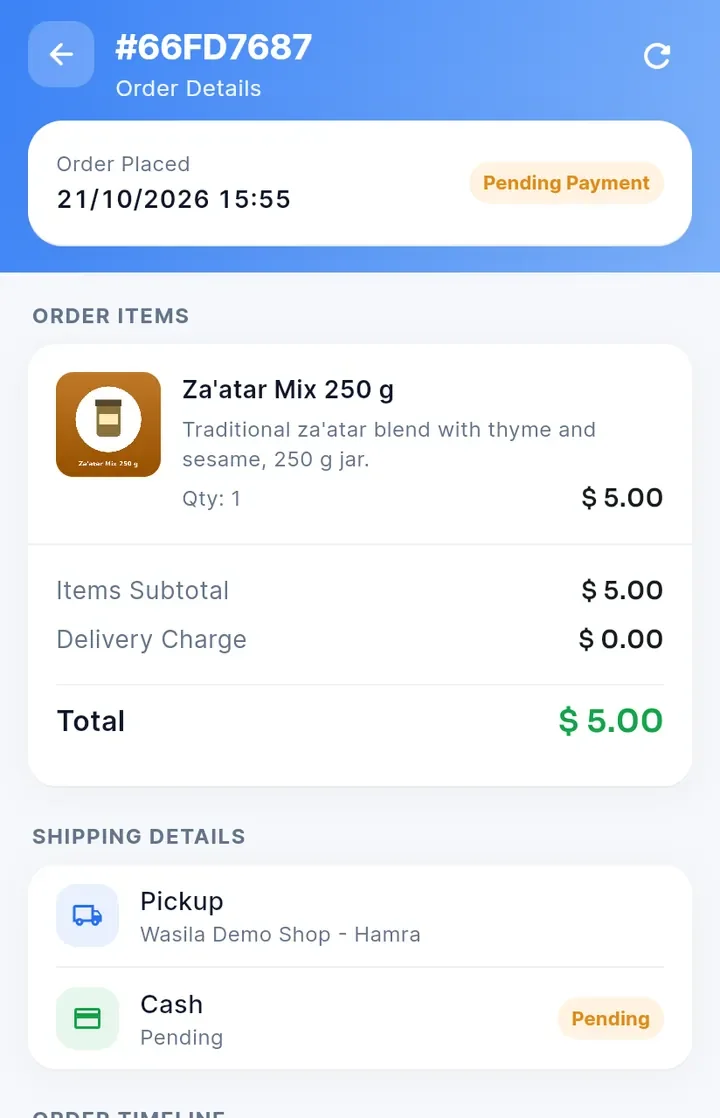
Your order shows Pickup with the location name and starts as Pending Payment. Collect it at that location and pay there.
Note: a pickup order has no Change button, because you can only change the address of a delivery order.