Order with delivery
Get your order delivered to one of your saved addresses and see the delivery fee before you confirm.
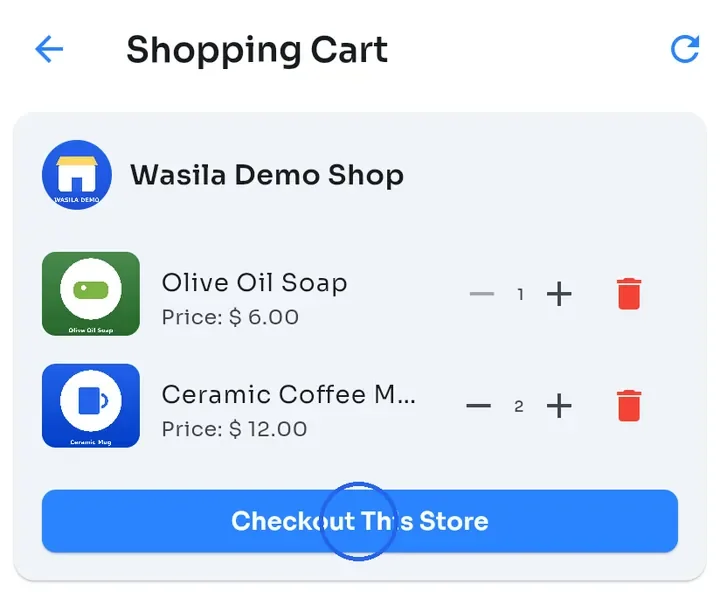
In your Shopping Cart, tap Checkout This Store on the store you want to order from. If your cart holds products from only one store, you can also tap Proceed to Checkout.
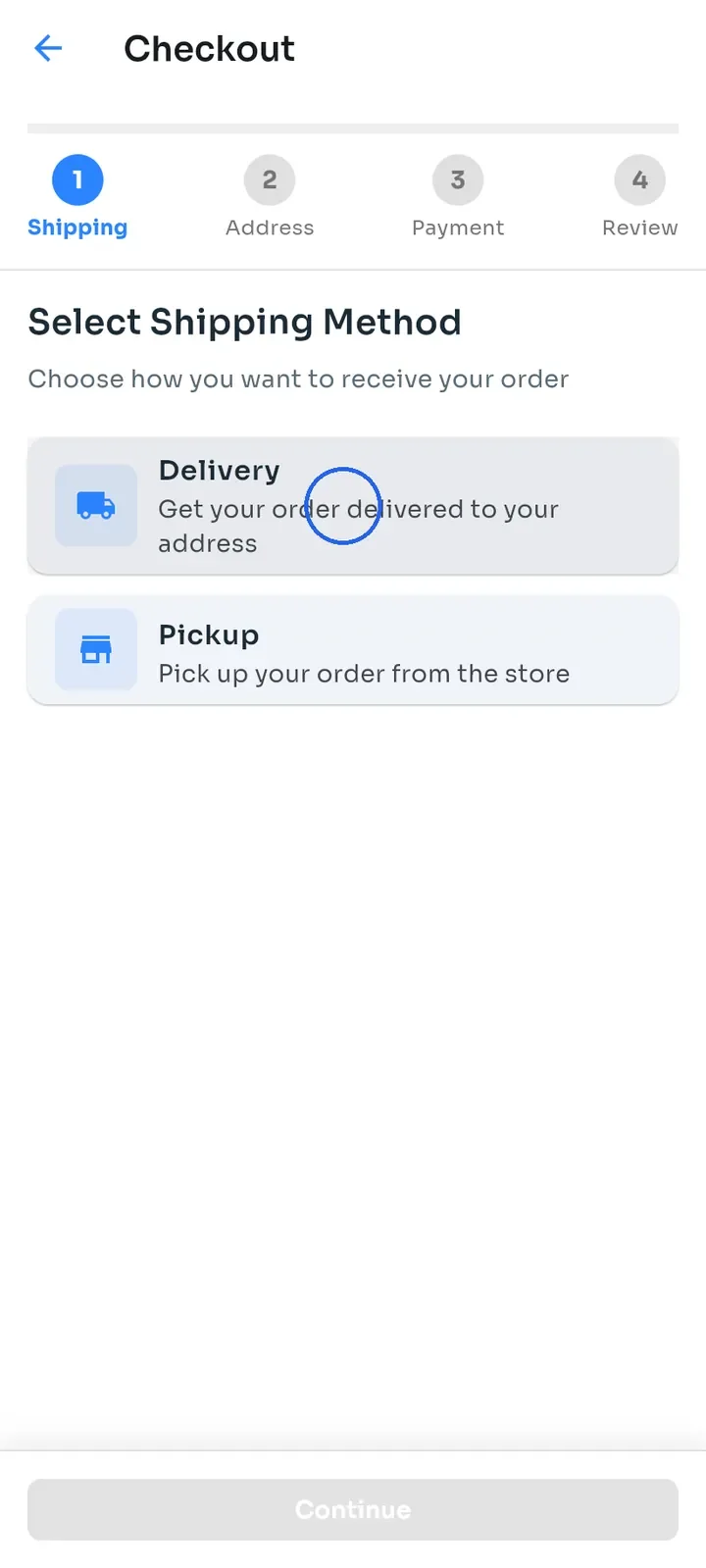
Under Select Shipping Method, tap Delivery. The next step opens right away, so you do not need to tap Continue.
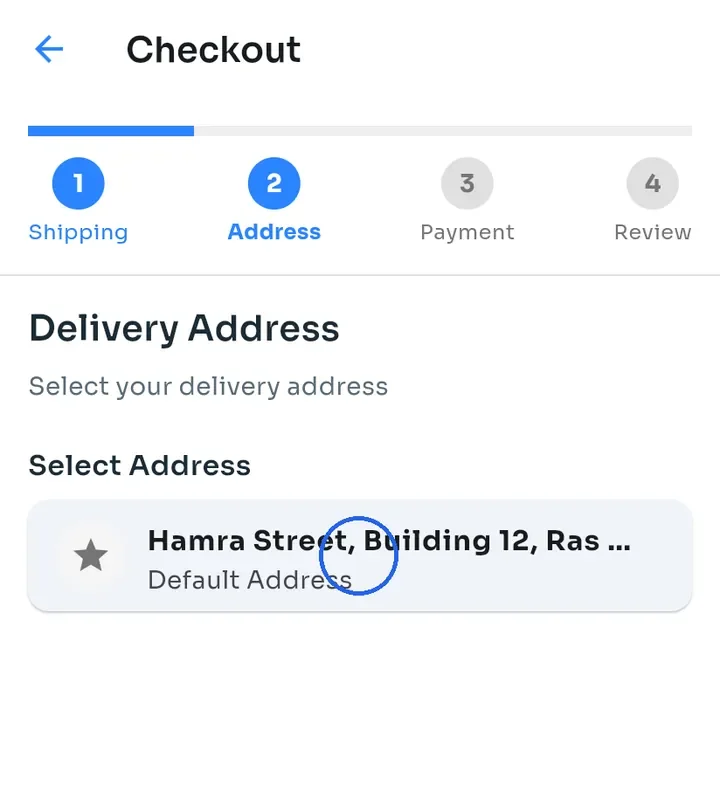
Under Delivery Address, tap the address to deliver to. Your default address is marked Default Address; your other addresses show Saved Address.
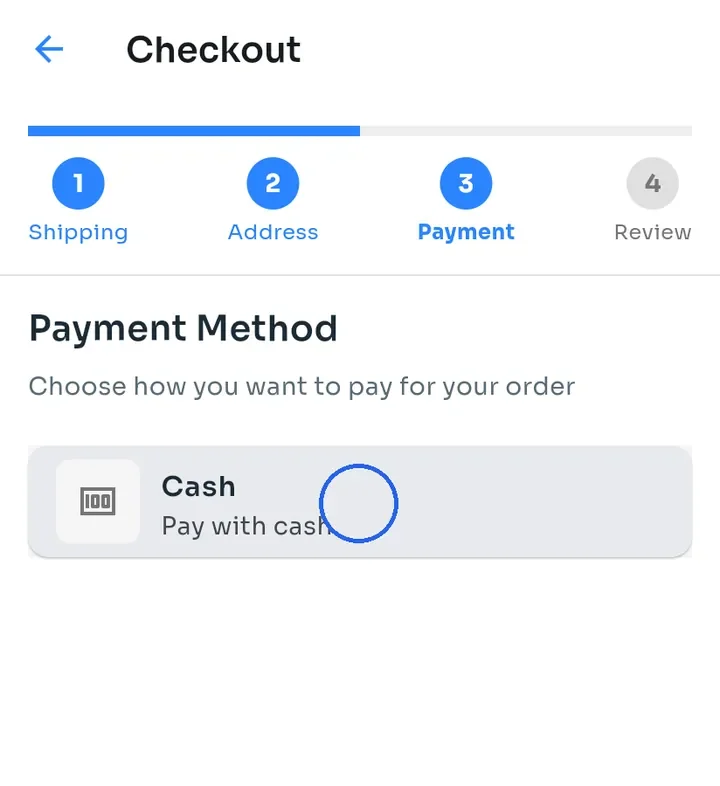
Under Payment Method, tap how you want to pay, for example Cash. You only see the methods this store accepts, such as Cash, Cash On Delivery or Whish.
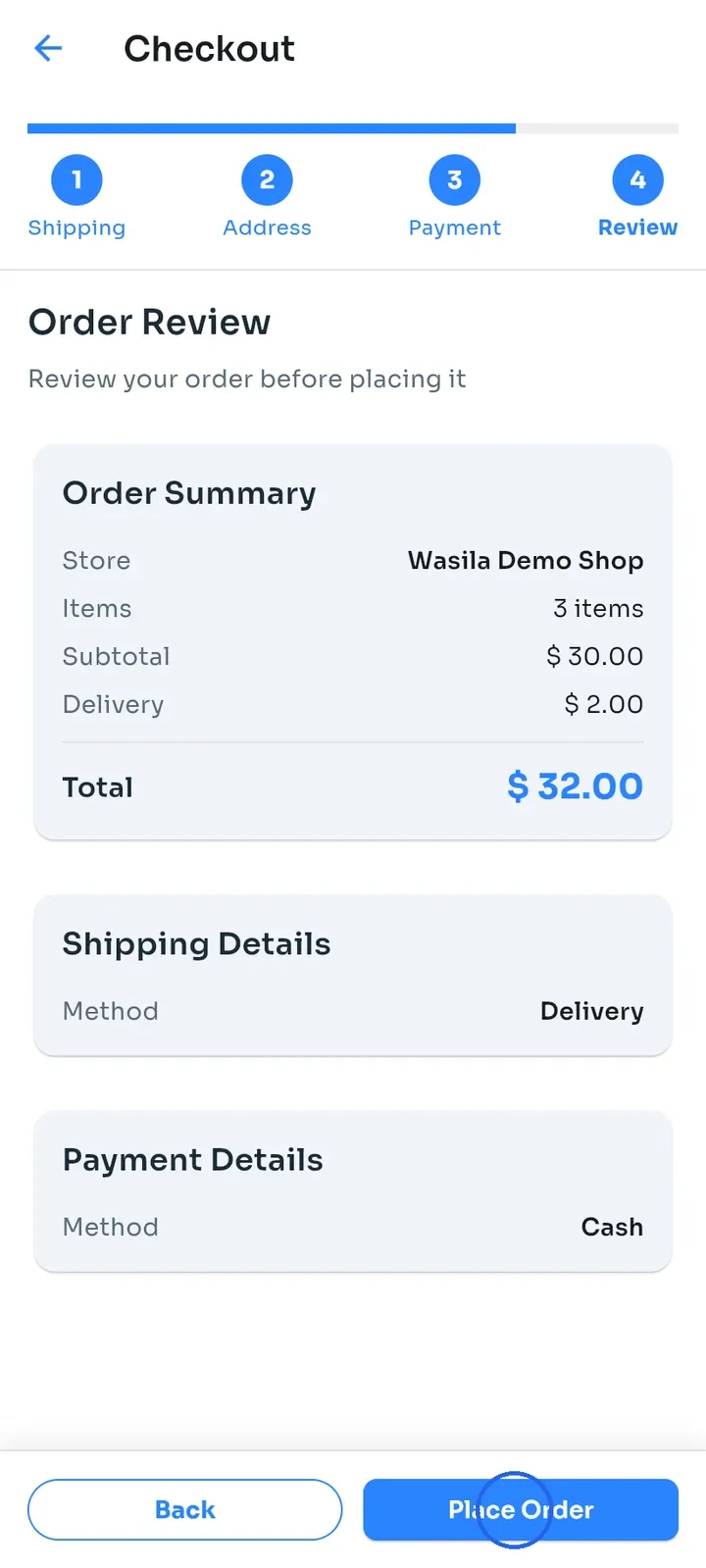
Check Order Review: the store, the number of items, the Subtotal, the Delivery fee and the Total. This is where you first see the delivery fee. Then tap Place Order.
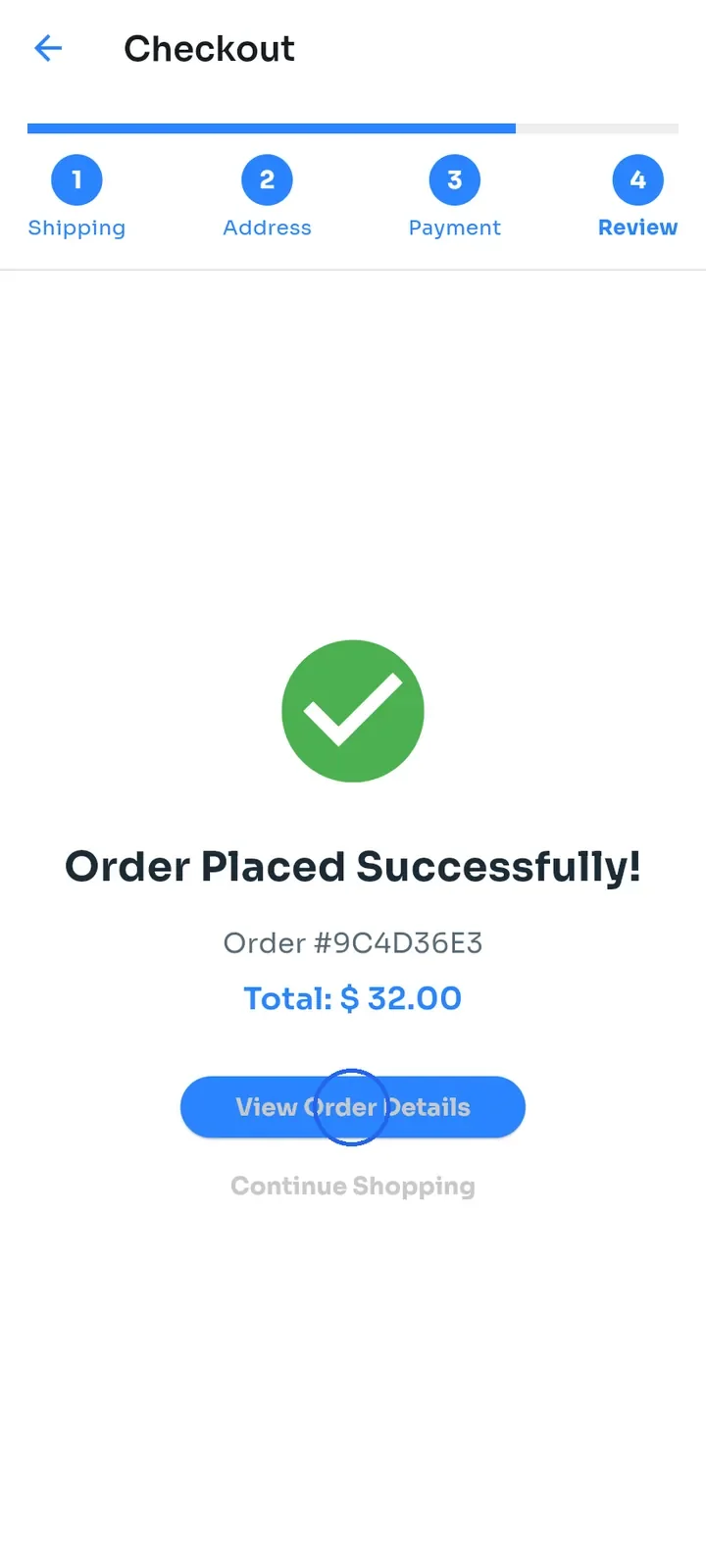
Order Placed Successfully! shows your order number and total. Tap View Order Details to open your order.
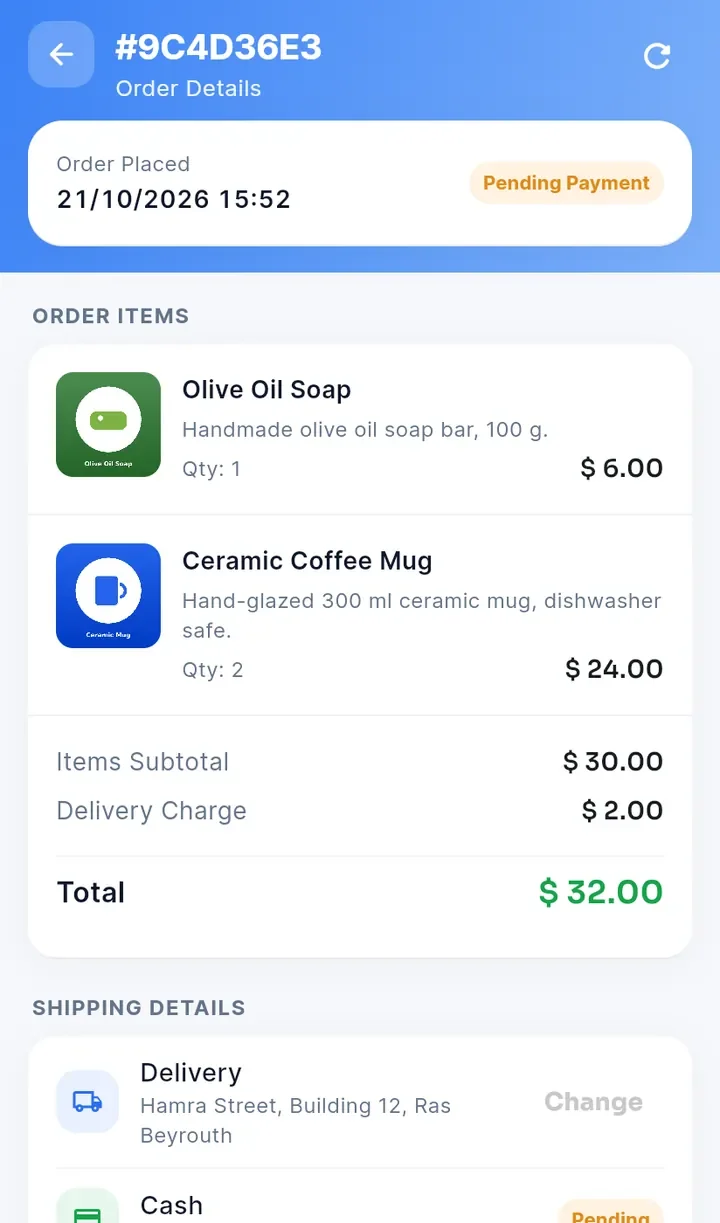
Your new order shows Pending Payment, and its payment shows Pending. With Cash, you pay when your order arrives. To find the order later, open Orders from the side menu.
Note: the delivery fee depends on the zone your address is in, and each store sets its own zones and fees. If the store does not deliver to the address you choose, the app tells you and you cannot continue with that address.